Tag: independent living

  • They Want Me to Act My Age. I Refuse.

    They Want Me to Act My Age. I Refuse.

    Do you have to act your age after 60?

    Short answer: No. There’s no deadline and no right way to get older. You can still want good food, strength, closeness, your own money and your own home, and you can start new things at any age. There’s only your way, and you get to choose it.

    They want me to act my age. I refuse.

    I am 64. I have been in recovery for more than 25 years. I started Well After 50 because I was tired of being talked to like I was already done. Tired of being told to slow down, to be careful, to act my age, to be grateful for what I have left.

    I am not done. I am not grateful to be quiet. I am not here to be a sweet old man in a cardigan who tells you to eat your vegetables and take a nice walk.

    I still want things. I want good food, and I want to enjoy it. I want to be strong, and I want to look good doing it. I want to laugh loud. I want to be close to someone. I want to have a life that feels alive, not just safe.

    And yes, I will say the part most people will not say out loud after 60. I still want sex. I still want to be wanted. I still want to touch and be touched, and I do not think that stops because you turn 60, or 70, or 80. If that shocks you, that says more about how you see older people than it does about me.

    Let me be clear about what I mean by that, because I am not talking about being reckless. I am talking about being human. I am talking about holding hands, and kissing, and waking up next to someone and feeling like you matter. I am talking about not being treated like that part of your life ended the day you got your first gray hair, or the day you retired, or the day you became a grandparent.

    I have heard people say, at our age, you should be past all that. Past what? Past wanting to feel alive in your own body? Past wanting to be close to another person? I am not past that, and I do not think you are either, even if you have been told to be quiet about it for years.

    I also want my money to be mine. I worked for it. I am not a bank for my family. I am not a free babysitter, a free nurse, a free housekeeper. I love my family, but I am not giving up my life so they can have an easier one. I spent too many years giving myself away. I am not doing that again.

    I know how that sounds to some people. Selfish. Ungrateful. But let me ask you this. When was the last time someone asked you what you wanted, instead of what you could do for them? When was the last time you spent money on yourself, just because it made you happy, and did not feel guilty about it for a week after?

    I have watched people my age save every penny, skip every trip, say no to every good meal, because they were afraid to spend what they had saved. Afraid the kids would need it. Afraid something bad would happen. Afraid to enjoy it. I do not want to live like that. I want to enjoy what I worked for, while I am still here to enjoy it.

    I want to live in my own home, on my own terms. I do not want to move in with someone just because I am older. I do not want to merge my money, my house, my life, just to prove I love someone. I can love someone and still keep my own front door key.

    I know couples who live apart, and love each other deeply, and see each other when they want to, not because they have to share a bathroom and a bank account. I know people who got divorced at 60, at 65, at 70, and found a better life on the other side, not a smaller one. I know widows and widowers who started dating again, and were told they were moving on too fast, as if grief had a deadline.

    There is no deadline. There is no right way to do this. There is only your way, and you get to choose it.

    I want to start new things. I started this page after 50, when most people told me I was too late. I was not too late. I am still starting things. I am still learning. I am still making mistakes, and I am still here.

    I did not start Well After 50 to be an expert. I started it because I was living it, and I wanted to write about it honestly. About strength, and food, and skin, and staying engaged, and making the most of the years ahead. Not as a guide from above, but as a person in the middle of it, trying to figure it out like everyone else.

    I have been in recovery for more than 25 years. That taught me something most people never learn. It taught me that starting over is possible, at any age, and that one day at a time is not just a saying, it is a way to live. I did not get sober once and then stay sober forever. I stayed sober one day, and then another, and then another, for years. That is how you build a new life. Not all at once. One day at a time.

    That is how I am doing this too. One post at a time. One walk at a time. One good meal at a time. One honest conversation at a time.

    This is not a guide. This is not advice. This is me telling you the truth about what it feels like to be 64 and still hungry for life, when the world keeps handing you a rocking chair and telling you to sit down.

    If you feel the same way, if you are tired of being told to act your age, then you are my people. We are not done. We are just getting started, on our own terms.

    So here is my question for you, and I really want to hear your answer. What are you refusing to give up? Is it your independence? Your money? Your love life? Your dreams? Your right to start over?

    Tell me in the comments. Tell me what you are holding on to, even when everyone else tells you to let it go. I will read every one.

    Thomas Green, Well After 50

    Join the Conversation

  • The AI Tools That Help You Stay Independent

    The AI Tools That Help You Stay Independent

    What tech actually helps older adults stay independent?

    Short answer: The best tech for staying independent makes one everyday job easier on the first try, with no manual and no tiny buttons. Good places to start are a voice assistant display like an Amazon Echo Show or Google Nest Hub, a free pill reminder app like Medisafe, live captions on your phone, and a simple tablet like GrandPad for calls and photos.

    What Tech Actually Makes Life Easier for Seniors?

    Tech AI that makes life easier for the over 50 crowd starts with one rule: it must make one ordinary job easier on the first try, with no manual and no tiny buttons.

    That is the test for everything in this post. If it needs a password reset and three menus just to call your granddaughter, it will sit in a drawer. The tools below pass the test, and they are the reason older adults are adopting tech fast: AI use among adults 50 and older nearly doubled in a single year, from 18% to 30%, and 71% of adults 50 and older bought technology in 2025.

    The most trending stuff right now

    Ranked by what is actually moving in 2026, not by hype:

    1. Smarter voice assistants. All three big assistants got a new AI brain in 2025 and 2026: Alexa+, Gemini for Home, and Apple’s Siri AI (September 2026, iPhone 15 Pro or later). You can speak more naturally, and they remember things you tell them. This is still the number one entry point, and two-thirds of adults 50 and older say technology makes aging in place easier.

    2. Chatbots for everyday questions. ChatGPT, Google Gemini, Claude, and Microsoft Copilot, mostly free. People use them to explain letters and test results in plain words, draft emails, and plan trips. You can even call ChatGPT from an ordinary phone or landline at 1-800-CHATGPT. Eight in ten adults 50 and older have now used some form of AI.

    3. Fall-detection watches and radar sensors. Apple Watch (Series 11, SE 3), Google Pixel Watch 4 with Loss of Pulse Detection, and Samsung Galaxy Watch 9 lead here, with Apple ranked most reliable in 2026 testing. Newer room sensors from companies like SafelyYou and CarePredict detect falls without cameras, a real privacy win.

    4. Companion AI going mainstream. ElliQ, the tabletop companion that starts conversations itself, is now distributed free to eligible seniors through state aging programs in New York, Florida, New Jersey, Michigan, California, and Washington. Caregivers are adopting fastest of all: 55% of caregivers 50 and older now use digital tools to coordinate care.

    5. Robot helpers for the house. Robot vacuums and mops with self-emptying bins have dropped into the $300 to $1,000 range, with features that used to cost much more. Real robots that fetch things and help you up are coming — Tuya’s Doova and Kawasaki’s Home LEO made headlines in 2026 — but neither is for sale yet, so treat them as coming attractions, not shopping items.

    6. Scam protection built into your phone. With AI voice-cloning scams surging, spam-call screening and the family code word are trending for a grim reason: they work. See the scam section below before you buy anything else.

    1. Talk to it: voice assistants

    This is the easiest place to start, because there is nothing to type and no small buttons. You speak, and the device answers.

    A voice assistant display — an Amazon Echo Show or a Google Nest Hub, a tablet-sized screen you talk to — can:

    Call family by name: “Call my daughter.”

    Set reminders: “Remind me to take my pills at 8 in the morning.”

    Control the house: “Turn on the bedroom light.” “Turn up the heat.”

    Read the news and weather, play music, and set timers.

    How to start: put it where you sit most, plug it in, and have a family member or friend do the one-time setup with you. After that, the whole job is talking. If you can say the sentence, you can use it.

    2. Pills on time, without the worry

    Forgetting a dose — or doubling up by accident — is one of the most common everyday problems, especially when you take five or more prescriptions.

    A free reminder app like Medisafe sends an alert at dose time and tracks what you took.

    A smart pill dispenser like Hero or MedMinder locks doses until the right time and can alert family if a dose is missed.

    Pick the app if you are comfortable with a phone. Pick the dispenser if you want the machine to do the remembering for you.

    3. See and hear better, with help built in

    Tech can quietly remove friction for eyes and ears:

    Live captions on phones and tablets turn phone calls and videos into readable text.

    Be My Eyes connects blind and low-vision users with sighted volunteers by live video, and its AI assistant can describe a photo out loud — what is in the fridge, what a label says, which bus is coming.

    Modern hearing aids, including over-the-counter options, use AI to cut background noise and focus on voices.

    None of this requires learning a system. It just makes the thing you were already trying to do work better.

    4. Stay in touch without the hassle

    If a regular tablet feels like a maze, there are devices rebuilt for exactly this job:

    GrandPad is a tablet with huge icons, no app store, and no passwords. Calls, video calls, photos, messages, music, and games are the whole job, and family can manage it remotely.

    The Jitterbug Flip2 is a simple flip phone for people who want calls and texts without a confusing screen.

    Both exist for one reason: staying close to people should not require tech support.

    5. A chatbot in your pocket

    A chatbot like ChatGPT, Google Gemini, or Claude works like a knowledgeable neighbor who is available at any hour. You ask a full question in plain words and get an answer in seconds. People use them to:

    Explain a letter or a test result in plain language before a doctor visit.

    Draft an email or a letter.

    Look up a recipe, a bus time, or how something works.

    The free versions cover everyday use. Treat the answers the way you would a helpful neighbor: great for explanations, but verify anything about health or money with your doctor or your bank, because chatbots sometimes guess with total confidence.

    6. Company in the quiet hours

    Living alone can mean long quiet stretches, and loneliness carries real health risks. A companion device like ElliQ, a tabletop companion built for older adults, starts conversations itself: it suggests activities, remembers what you tell it, sets reminders, and helps with video calls. People who use it interact with it dozens of times a day.

    Be honest about what it is not: it is not a medical device, it has no fall detection, and it cannot call for help in an emergency. It is company and routine, not a replacement for human connection — a supplement for the hours between visits, not a substitute for them.

    7. A safety net you wear

    A fall-detection smartwatch — an Apple Watch or Samsung Galaxy Watch — senses a hard fall, pauses so you can cancel if it was a false alarm, and then automatically calls emergency services or your contacts if you do not respond. It works even if you cannot reach your phone or press a button.

    No device catches every fall, and how it is worn matters. But for someone living alone and still active, it is the single highest-value safety tool, because it solves the worst case: a fall with nobody nearby.

    8. The scam part: read this before anything else

    The same AI that helps you can also be used to trick you, and older adults are a favorite target. The FBI’s 2025 report tied AI-related scams to nearly $893 million in reported losses, and adults 60 and older reported $7.7 billion in fraud losses overall.

    The one to know by name is the voice-cloning grandparent scam. A criminal needs only a short clip of a family member’s voice from social media to fake an emergency call that sounds completely real: your “grandchild” arrested, needing bail money right now.

    The fix costs nothing and takes one conversation: agree on a family code word. Pick something unrelated and a little odd — two words that would never come up by accident — and never post it, text it, or email it. If a caller claiming to be family cannot say the word, that is your answer.

    And three rules that stop almost everything else:

    Hang up and call back on a number you already have, saved in your phone or on the back of your card. Never trust the number that called you.

    No real bank, government agency, or tech company will ever ask you to pay with gift cards, cryptocurrency, a wire transfer, or cash to a courier. That payment method is the scam announcing itself.

    Never let a caller control your computer or phone to “fix” a problem. Hang up immediately.

    How to start, in three steps

    1. Pick one job that bugs you — pills, calls, lights, reading small print.

    2. Get one device for that job, and have someone set it up with you once.

    3. Practice one phrase until it feels natural. Everything else can wait.

    Tech should shrink your to-do list, not grow it. Start with the one thing that makes tomorrow easier, and let the rest come later if it ever needs to.

    Keep Reading

    This is general information, not medical advice. If you have a health question or are considering a new device for a medical need, talk with your doctor.

    As an Amazon Associate, Well After 50 may earn a commission from qualifying purchases at no additional cost to you.

    About Tom Green

    Tom Green writes Well After 50. He was born in Pell City, Alabama, in 1962, and he’s a country boy and a true Southerner through and through. He’s just a regular, laid-back 64-year-old who keeps things simple. He shares what he learns about skincare, fitness and getting older, and what’s working for him. He’s also the author of A Practical Guide to Getting Older Without Giving Up on Yourself. Tom isn’t a doctor. He reads up on the research and passes along what’s useful, plain and simple.

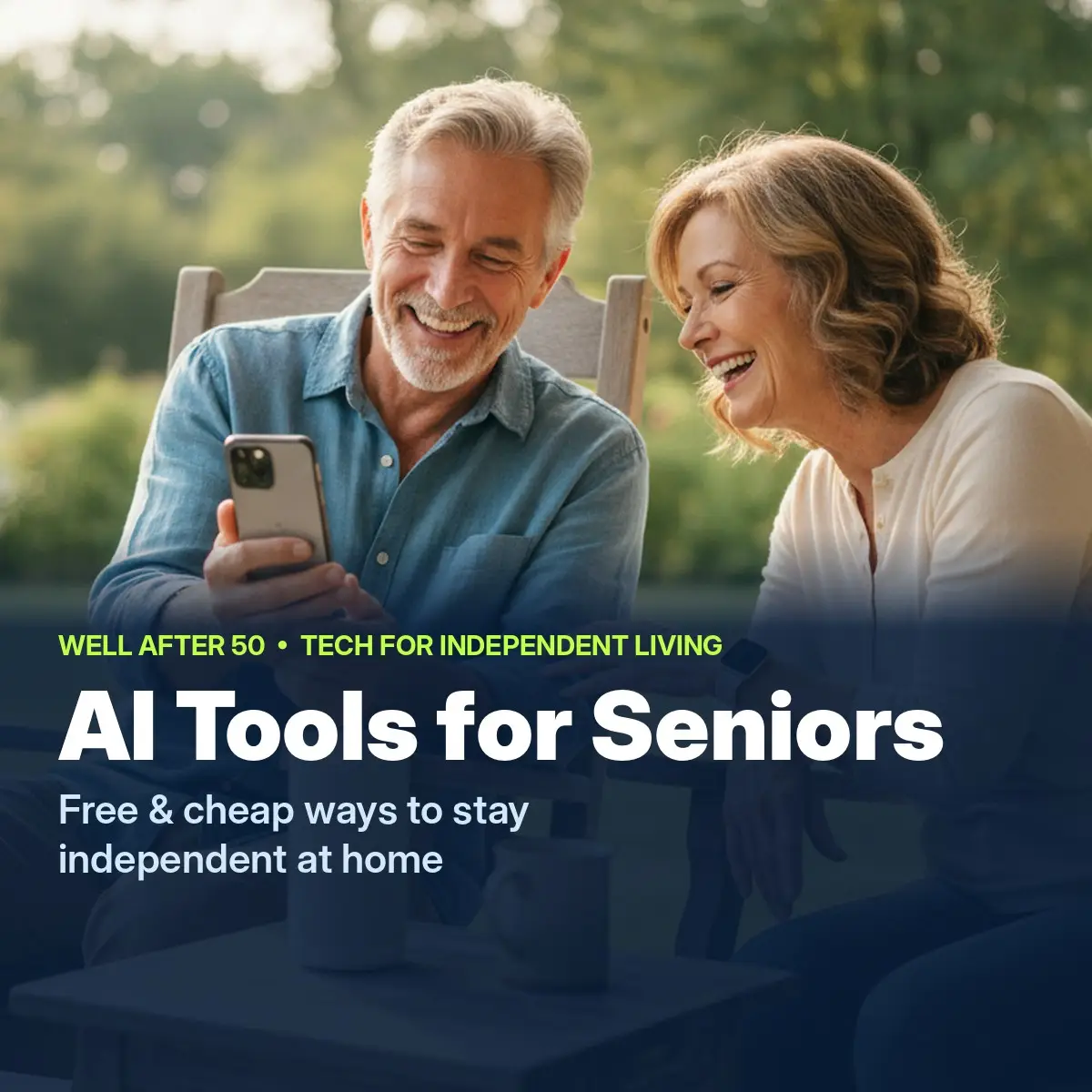
  • AI Tools for Seniors Living Alone: Free and Cheap Ways to Stay Independent at Home

    AI Tools for Seniors Living Alone: Free and Cheap Ways to Stay Independent at Home

    What AI tools help seniors who live alone stay independent?

    Short answer: Most of the tech that helps you keep living on your own is free, already on your phone, or cheaper than you’d think. Start with Medical ID on your phone, which is free and takes 5 minutes, so an EMT can see your medicines in an emergency. Then look at Alexa+, free with Amazon Prime, and Be My Eyes, a free app that reads things for you.

    You don’t need a robot or a big budget. Most of the tech that helps folks keep living in their own homes is free, already on your phone, or cheaper than you’d think.

    Living on your own after 50 mostly comes down to a handful of worries. Falling with nobody around. Missing a pill, or taking it twice. A scam call that sounds just like family. And the house getting awful quiet some evenings.

    The good news is that AI got a lot better at those exact jobs this year, and plenty of folks our age have noticed. AARP’s latest tech survey of more than 3,000 people found that AI use among adults 50 and older jumped from 18% in 2024 to 30% in 2025.

    If you want to learn to talk with a chatbot like ChatGPT, I covered that in Best Free AI for Seniors. This one’s different. These are the tools that help you stay safe and independent at home, starting with the free ones. For each one I’ll tell you what it does, what it costs and where it falls short. Fellas and ladies both, there’s something here for you.

    The quick list

    • Medical ID on your phone: free, takes 5 minutes
    • The new Alexa+: free with Amazon Prime, or about $140 to $200 for an Echo Show 8
    • Be My Eyes, for reading labels and mail: free
    • A family safe word against AI scam calls: free
    • Medicine reminders: free, or a smart dispenser from about $40 a month
    • Fall detection on a watch: Apple Watch SE 3 from $249
    • An AI companion: ElliQ, free in some states, otherwise a lease
    • Borrowing gadgets before you buy: free through your state

    1. Set up Medical ID on your phone (free, 5 minutes)

    I’m starting with this one because it costs nothing and most folks have never touched it. If you’re ever found on the floor or in a wreck, an EMT can pull up your medicines, allergies and emergency contacts right from your lock screen, no passcode needed.

    • iPhone: open the Health app, tap your picture, then Medical ID. Fill it in and turn on “Show When Locked.”
    • Android: open Settings, then look for “Safety & emergency” and “Medical information.” The menu names vary a little by phone brand.

    While you’re in there, add at least two emergency contacts. Everything else in this article works better once that’s done.

    2. The new Alexa+ (free with Prime)

    This is the big change this year. Amazon rebuilt Alexa with the same kind of AI that runs the chatbots, and since February it’s been free for every Prime member in the U.S. Without Prime, it’s $19.99 a month, which isn’t worth it when Prime costs less.

    The difference is you can talk to it like a person now. Instead of memorizing exact commands, you can say something like “remind me to take my blood pressure pill after breakfast every day” or “call a ride to my doctor’s appointment Thursday.” If you already have an Echo, just say “Alexa, upgrade to Alexa+.”

    If you’d like a device to go with it, the Amazon Echo Show 8 is the one senior tech guides keep coming back to. It’s a speaker with a screen, so you can see faces on video calls from across the room and read your reminders in big letters. With your OK, family can “Drop In” for a video check-in without you having to answer anything. The regular price runs about $180 to $200, but it goes on sale a lot, and deal sites have caught it around $140. With Black Friday coming, I’d hold off and wait for a sale.

    Where it falls short: It’s new, and TechRadar reports some early users have had slow answers, broken routines and wrong information. For now you can switch back to the old Alexa if it gives you fits. It’s also not an emergency device. Amazon sells a paid add-on called Emergency Assist that connects you to a live agent, but nothing works if the power or internet goes out, so keep your phone handy too.

    3. Be My Eyes: a free app that reads things for you

    You point your phone’s camera at something, like a medicine label, the tiny print on a bill, the microwave display or a thermostat. Then either the app’s AI tells you what it says, or a real volunteer comes on a video call and helps you out.

    It’s built for people who are blind or have low vision, but anybody whose eyes aren’t what they used to be can use it. It’s free on iPhone and Android, and there are millions of volunteers signed up around the world, so somebody’s usually awake to help no matter what time it is.

    Where it falls short: AI can get things wrong. For something important, like a medication dose, double-check with your pharmacist. And don’t point it at your bank statements unless you’re comfortable with a stranger seeing them.

    4. A family safe word: free protection from AI scam calls

    Now for the ugly side of AI. Scammers can copy a voice from a few seconds of video posted online, then call you sounding just like your grandson, your niece or your brother, crying and begging for money.

    It’s working, too. The Federal Trade Commission reports that adults 60 and older reported more than $3 billion in fraud losses in 2025, up from about $600 million in 2020.

    The best protection doesn’t cost a dime. The FBI recommends a family safe word, something only y’all would know. No word, no money. Hang up and call that person back on the number you already have. (I also showed how a free AI helper can sniff out scam texts in Best Free AI for Seniors.)

    And with Medicare open enrollment running until December 7, watch out for fake “Medicare” calls. Medicare isn’t going to call you out of the blue asking for your Medicare number. If you’re not sure, hang up and call 1-800-MEDICARE (1-800-633-4227) yourself.

    5. Medicine reminders that won’t let you forget

    Before you spend money on a fancy pill machine, try the free stuff. Your phone or Alexa can remind you at the same time every day. Many pharmacies will also pack your pills in little sealed packets labeled by day and time, so you can see at a glance whether you took them. Just ask at the counter.

    If you take five or more medicines a day, a smart dispenser like Hero might be worth a look. You pour each pill type in once, and at pill time it chimes and gives you just that dose. It stays locked the rest of the time so you can’t double up by accident, and it can text family if you miss one. On Hero’s own site it runs about $40 to $60 a month, depending on the plan. If you’re on Medicare and managing an ongoing health condition, ask about their Medicare remote care program. It can bring the cost way down, sometimes to nothing, though co-pays may apply.

    Where it falls short: You rent it, you don’t own it, and you’ll likely want a family member to help you set it up the first time. For one or two pills a day, a $5 pill box does the job.

    6. A watch that calls for help after a fall (from $249)

    Falls are the thing most of us worry about when we think about living alone. The Apple Watch SE 3 is Apple’s cheapest current watch, and it’s the one senior tech guides keep ranking first for fall detection.

    The part I like best: if you’re 55 or older, Apple turns fall detection on by itself once you put in your age. If it feels a hard fall and you don’t move for about a minute, it calls for help on its own and sends your location to your emergency contacts. And it just looks like a regular watch, so folks actually wear it instead of leaving it in a drawer.

    Prices start at $249. Get the cellular version, which costs more, so it works even when your phone is in the other room.

    Where it falls short: Apple says plainly that the watch can’t detect every fall. A slow slide out of a chair might not set it off. It needs an iPhone, and you’ll have to charge it every day. A dead watch can’t help anybody.

    7. An AI companion that checks on you (free in some states)

    ElliQ is a little tabletop robot that looks something like a desk lamp with a screen. Unlike Alexa, it starts the conversation. It says good morning, asks how you slept, reminds you to drink water or take a walk, plays games and helps you video call family.

    Now, the budget part most folks miss. Some states give it to qualifying older adults for free through their aging offices. New York just renewed its program in October 2026, and as of this past summer, Washington, Florida, Nevada, Wisconsin and New Jersey had programs too. Call your local Office for the Aging and ask. If you don’t qualify, it’s a lease: $249 to start, then $39 to $59 a month depending on how long you sign up for.

    Where it falls short: New York reports that most users feel less lonely, but those numbers come from users rating themselves, with no comparison group. ElliQ is not an emergency device, so keep a phone or alert button close by. No machine takes the place of a real friend, but it might help fill the quiet hours.

    8. Borrow it before you buy it (free)

    Hardly anybody knows about this one. Every state has an assistive technology program, paid for by a federal law called the Assistive Technology Act. Many of them will let you try out gadgets, borrow them for a few weeks, or get gently used equipment for little or nothing.

    That means you can test a magnifier, an easy phone or a medical alert before you spend a penny. To find yours, search for your state’s name plus “assistive technology program,” or start at the national directory at AT3Center.net.

    AI for Seniors: A Friendly Beginner’s Guide to ChatGPT, Smart Tools, and Everyday Tasks by Wes Coburn https://link.amazon/B03Q1vQSR

    Bonus: help paying for your phone or internet

    None of this works without a phone or internet. If you get SSI, Medicaid, SNAP, federal housing help or a veterans pension, you may qualify for the federal Lifeline program, which takes money off your monthly phone or internet bill. The bigger ACP internet discount ended in 2024, but Lifeline is still going. Apply through the official site, not some website promising a “free iPhone.”

    Your weekend checklist ($0)

    Print this out or stick it on the fridge. You can do every one of these by Sunday without spending a dime.

    1. Fill in Medical ID on your phone and add two emergency contacts.
    2. Pick a family safe word and share it with the people you love.
    3. Set one daily reminder, for pills, water or a walk.
    4. Download Be My Eyes and try it on a can label.
    5. If you have Prime and an Echo, say “Alexa, upgrade to Alexa+.”
    6. Look up your state’s assistive technology program before buying anything.

    Then, if you’ve got some money set aside, a fall-detection watch or an Echo Show 8 on sale is where I’d look next. Like the old saying goes, an ounce of prevention is worth a pound of cure.

    Other Voices Worth Following

    • Laurie Orlov of Aging and Health Technology Watch has spent years tracking the tech built for older adults. Read her if you want the big picture without the sales pitch.
    • Kim Komando, the longtime tech radio host and columnist, has written about how scammers use AI to copy voices. Her plain-talk tips are easy to follow.
    • Joseph Coughlin, founder of the MIT AgeLab and author of The Longevity Economy, has been asking for years why technology isn’t built better for people our age. He’s worth a listen.

    Common Questions

    What are the best free AI tools for seniors living alone?

    Medical ID on your phone, the voice assistant already on your phone, Alexa+ if you have Prime, the Be My Eyes app for reading labels and mail, and your phone’s reminder app. A family safe word isn’t an app, but it’s free and one of the best defenses against AI voice scams.

    Is Alexa+ free?

    Yes, if you have Amazon Prime in the U.S. Without Prime it costs $19.99 a month, and there’s a limited free text version on Alexa.com.

    What technology helps seniors living alone?

    Fall detection, like the Apple Watch, which turns it on automatically at 55 and up. A voice assistant or smart display for hands-free calls and reminders. And daily check-ins, like ElliQ or a simple phone call routine with family.

    Can seniors get ElliQ for free?

    In some states, yes. New York, Washington, Florida, Nevada, Wisconsin and New Jersey have offered it free to qualifying older adults through aging programs. Call your local Office for the Aging to ask.

    How do I protect myself from AI voice scams?

    Set up a family safe word, never send money on an urgent call, and hang up and call the person back on a number you already know.

    A Final Thought

    Staying independent isn’t about having the fanciest gadget. It’s about having a little help in the right spots, so you can keep living in your own home, on your own terms. I reckon most of us can start with what’s already in our pocket.

    Your turn: Which of these would help you most, or is there one you already use? Tell me in the comments. Somebody reading might need your tip.

    — Tom

    Keep Reading

    Find more on my Tech for Independent Living After 50 page.

    About the Author

    Tom Green writes Well After 50. He was born in Pell City, Alabama, in 1962, and he’s a country boy and a true Southerner through and through. At 64, he shares practical research and everyday experience about staying active, living well and making the most of life after 50.

    Prices and programs change often. Figures here were checked in early November 2026, so check the seller or program before you buy or apply. Tom isn’t paid by any company mentioned here. This article is general information, not medical, legal or financial advice.