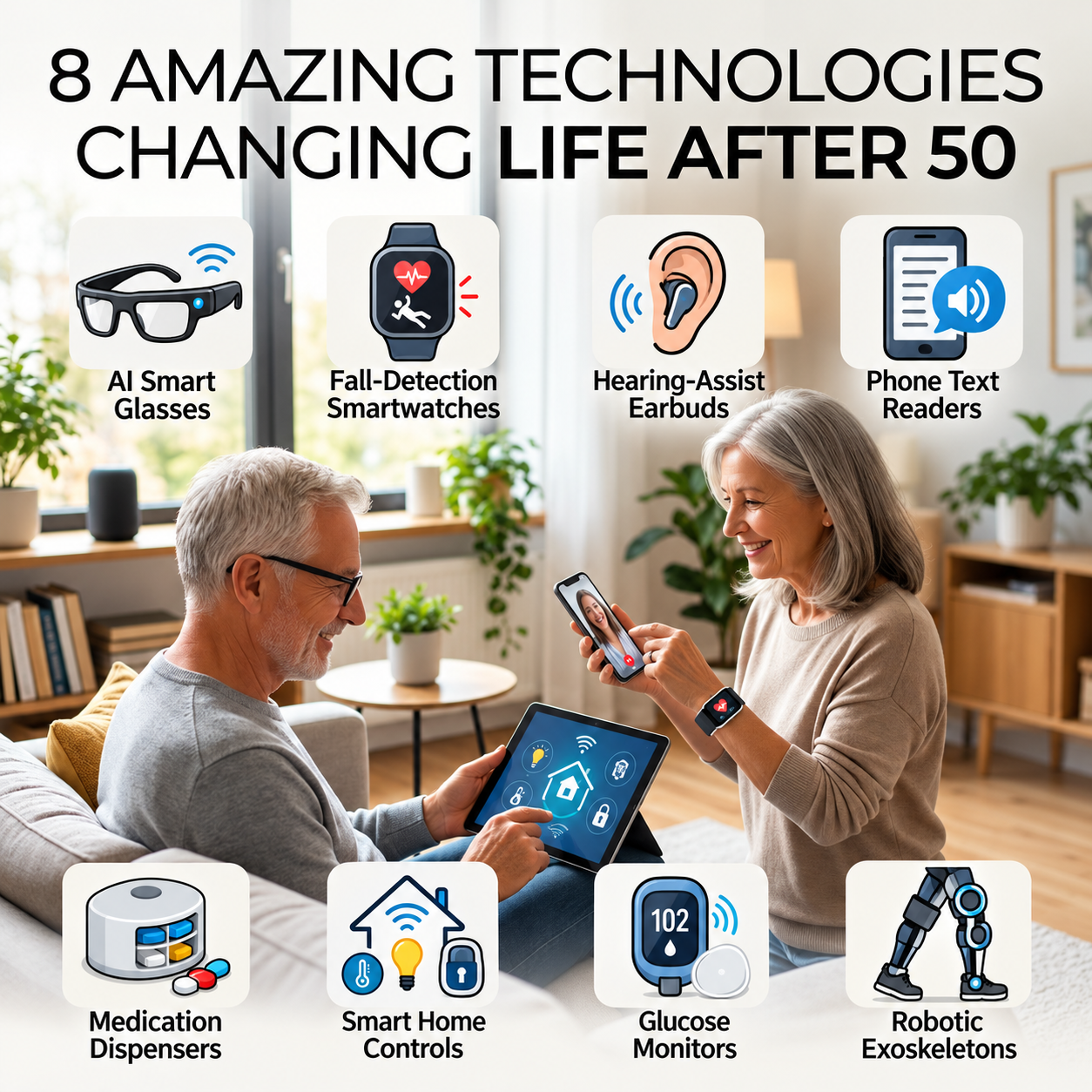
Imagine glasses that describe what is around you, earbuds that make conversations easier to hear, or a watch that can call for help after a serious fall. Technology that once sounded like science fiction is becoming part of everyday life.
I’m 64, and what interests me isn’t owning the newest gadget. It’s whether something can help us hold on to independence. I don’t want to waste money on complicated products that promise miracles and end up in a drawer, either.
So I looked at eight technologies that could make life after 50 easier. Some may already be on your phone. Others are expensive, specialized, or still developing. Here’s what they do, what the evidence actually supports, and what I’d ask before spending a dime.
1. AI Smart Glasses That Describe the World
Certain camera-equipped smart glasses can interpret visual information and describe signs or objects aloud. Compatible Meta AI glasses can also connect with Be My Eyes, which helps people who are blind or have low vision access sighted assistance. Be My Eyes explains its smart-glasses accessibility features.
Technology journalist Victoria Song of The Verge explored how people with limited vision use the glasses in real life. That reporting matters more to me than a manufacturer’s demonstration: the value is what someone can actually accomplish.
Before you buy: Not all smart glasses have cameras or support the same features. AI can misidentify things, and glasses are not a replacement for mobility aids. Find out which phone, software and subscription requirements apply, and be mindful of other people’s privacy.
2. Earbuds That Can Help You Hear
Some compatible wireless earbuds now offer hearing assistance. In 2024, the FDA authorized Apple’s Hearing Aid Feature for certain AirPods Pro models, intended for adults who perceive mild to moderate hearing loss. A clinical evaluation involving 118 participants supported its performance compared with professional fitting of the same device. Read the FDA’s authorization.
It’s worth considering if you struggle to follow conversations in noisy restaurants or often ask someone to repeat themselves. But earbuds aren’t appropriate for every type of hearing loss, require charging and compatible equipment, and won’t suit everyone.
What I’d do first: Get your hearing assessed, especially if the change is recent or worsening. Sudden hearing loss needs prompt medical evaluation. Check whether devices you already own have supported hearing features before buying something else.
3. Fall-Detection Watches That Can Call for Help
A compatible smartwatch may recognize a hard fall, ask if you need help and, under certain conditions, contact emergency services. Apple explains the limitations and setup of Fall Detection. That could be reassuring for someone who lives alone or spends time outdoors.
I also pay attention to independent aging-technology analysts such as Laurie Orlov of Aging and Health Technology Watch, who examines the practical challenges of technology for older adults. It’s important to distinguish detecting a fall from preventing one.
The catch: No watch detects every fall. Emergency calling can depend on settings, connectivity and battery life. Test the emergency-contact setup, consider whether a dedicated alert service is more suitable, and don’t let a gadget replace balance work, safe footwear or good home lighting.
4. Your Phone Can Read Tiny Print Aloud
One of my favorite ideas costs nothing extra if your phone already supports it. Apple’s Magnifier can enlarge nearby text, and compatible iPhones offer text-reading functions, including Point & Speak for certain physical controls. See Apple’s instructions. Android phones also have accessibility and text-recognition features, though the specifics differ.
Think restaurant menus, hard-to-read packaging and controls on household appliances. Start with a familiar label and practice in good light. Camera-based text recognition isn’t always accurate, so don’t rely on it alone for medication doses or safety-critical instructions.
5. Medication Dispensers That Do More Than Beep
Automatic pill dispensers can organize doses, issue reminders and, depending on the model, notify caregivers. For someone managing several medications, that might reduce confusion. But an alert doesn’t prove someone actually swallowed a pill.
Richard Caro and the Tech-enhanced Life team tested automatic pill dispensers in practical use. I especially like their approach of matching a device to the person’s needs instead of crowning one gadget the universal winner.
Questions worth asking: Who refills it? Can it handle your medications and schedule? What happens if electricity or Wi-Fi fails? Does it need a subscription? A traditional pillbox and phone reminder may be plenty for some people; a pharmacist can help decide whether a more complicated system makes sense.
6. Smart Homes That Make Everyday Tasks Easier
Motion-activated hallway lights, voice-controlled switches and accessible thermostats can make life more convenient, particularly if mobility, vision or dexterity has changed. For some people, reducing unnecessary movement across a dark room is worth far more than an elaborate home-security package.
Independent writer Mike Smith discusses accessible smart-home ideas at Clarejon, including lighting, sensors and the importance of keeping manual controls. I agree with that last point. If the internet is down, you should still be able to turn on a light or unlock your door.
Start with one real problem, not a house full of gadgets. For monitoring systems, ask who can view your data, whether cameras are involved, what gets stored and how false alarms are handled. Convenience shouldn’t mean giving up privacy.
7. Glucose Sensors That Show Patterns Between Appointments
Continuous glucose monitors use a small sensor under the skin to estimate glucose in interstitial fluid over time. In 2024, the FDA cleared Dexcom’s Stelo as an over-the-counter option for certain adults who do not use insulin. Read the FDA clearance announcement.
Seeing trends after meals or physical activity may be useful for some people managing diabetes. But that doesn’t mean everyone without diabetes needs to monitor every fluctuation. More numbers don’t necessarily translate to better decisions.
Be skeptical of miracle claims. The FDA has warned against smartwatches and rings claiming to measure glucose without piercing the skin. Ask a clinician whether glucose monitoring is useful in your circumstances.
8. Robotic Exoskeletons That Assist Walking
Here’s where the future really starts to show. Robotic exoskeletons are wearable mechanical systems that can assist certain movements. Some are designed for rehabilitation or carefully selected people with serious mobility impairments, including some spinal cord injuries.
This technology doesn’t simply restore ordinary walking. Eligibility depends on medical assessment, physical capability, device design and training. Many systems are expensive and require assistance. They are not an everyday solution for sore knees or weak legs.
Still, I find it remarkable that engineers are working on ways to expand what some people can do physically. For most of us, ordinary strength training, fall-prevention work and physical therapy are much more accessible ways to stay mobile right now.
Which Technology Is Actually Worth Your Money?
Here’s how I’d narrow it down: if tiny print is the problem, explore phone accessibility first. If hearing is changing, start with a hearing evaluation. If you’re concerned about getting help after a fall, compare watch-based and dedicated alert options. If medications are complicated, ask a pharmacist about organizing them safely. If moving around the house is hard, begin with lighting and simple accessible controls.
Then ask four questions. What specific problem does this solve? Can I operate it comfortably? What will it cost after subscriptions and accessories? And what happens if it fails? A good return policy matters, too.
I also appreciate technology reporting that isn’t afraid to point out limitations. Victoria Song’s independent wearable-tech coverage, Laurie Orlov’s aging-tech analysis, Richard Caro’s hands-on dispenser comparisons and Mike Smith’s practical accessibility examples are worthwhile places to learn more.
The Part That Excites Me Most
It isn’t AI answering questions. It’s someone with low vision gaining access to information, someone hearing a conversation more clearly, or a person managing a complicated routine with less frustration.
I don’t think getting older should mean automatically giving up the things we enjoy. Sometimes the answer is medical care or better habits. Sometimes it’s an adjustment around the house. And sometimes it’s a clever piece of technology that really does what it promises.
Technology can’t stop aging. But the right technology may help us live more comfortably, confidently and independently. That’s progress worth paying attention to.
Your Turn
Have you tried technology that genuinely made life easier after 50? Maybe it’s a useful phone feature, hearing device, smartwatch or something I’ve missed. Tell me in the comments whether it was worth the money. Your experience could save another reader an expensive mistake.
About the Author
Tom Green is the creator of Well After 50, where he shares practical, research-informed ideas about skincare, fitness, wellness and everyday life after 50. In his 60s himself, Tom believes getting older shouldn’t mean giving up on yourself.
Health note: I’m not a doctor. I’m a man in my 60s sharing personal experience and research. This article is general information, not medical advice. Health and safety technology should be discussed with appropriate healthcare professionals where necessary and should not replace emergency services or prescribed treatment.
Editorial note: No affiliate links or paid product placements appear in this article. Product availability, compatibility, features and pricing may change.
What do you think? Have a tip, question, or personal experience to share? We’d love to hear from you. After 50, there’s always something new to discover—and your thoughts might help someone else, too!