Tag: life after 50

  • AirPods as Hearing Aids: Can a $199 Pair Really Replace $4,000 Hearing Aids After 50?

    AirPods as Hearing Aids: Can a $199 Pair Really Replace $4,000 Hearing Aids After 50?

    Apple’s earbuds can now work as over-the-counter hearing aids, and they’re on sale for Black Friday. Here’s who they help, who they don’t, and what to check before you spend a dime.

    Most of us don’t like to talk about this one. Somewhere along the way, a lot of us started saying “What?” more than we used to. We turn the TV up a notch. We nod along at the restaurant table and hope we laughed at the right part.

    And when we finally think about doing something about it, we find out a pair of hearing aids from an audiologist can run $4,000 to $7,000. Original Medicare doesn’t pay for them. That’s enough to make anybody put it off another year.

    So when folks heard that a pair of Apple AirPods Pro can work as a hearing aid, and that AirPods Pro 3 are going for about $199 in early Black Friday sales, down from $249, a lot of ears perked up.

    Check today’s price on AirPods Pro 3 at Amazon

    I dug through the reviews, the studies and what the hearing experts are saying. Here’s what I found, for men and women alike.

    Can AirPods Really Work as Hearing Aids?

    Yes, for some people. In September 2024 the FDA authorized Apple’s hearing aid feature as the first over-the-counter hearing aid software. It runs on AirPods Pro 2 and AirPods Pro 3. Regular AirPods don’t have it.

    It’s made for adults with mild to moderate hearing loss. That’s the kind where quiet talk gets muddy, voices blur in a busy room and you keep asking folks to repeat themselves. It is not made for severe hearing loss.

    Here’s what you get:

    • A free hearing test. You take it at home with your AirPods and iPhone. It takes about five minutes and gives you a hearing chart you can show your doctor.
    • Hearing aid mode. The AirPods use your test results to turn up the sounds you’re missing, like voices, and leave the rest alone.
    • Hearing protection. They can turn down loud noise like a lawn mower, a concert or a ballgame crowd.
    • Regular earbuds too. Phone calls, music, audiobooks and TV straight into your ears.

    AirPods vs. Hearing Aids: The Real Costs

    Option Typical price Battery Who it fits
    AirPods Pro 3 About $199 to $249 About 8 to 10 hours in hearing mode Mild to moderate loss, iPhone users
    Other OTC hearing aids About $300 to $1,500 Most run 16 to 24 hours Mild to moderate loss
    Prescription hearing aids About $4,000 to $7,000 a pair All day Any level, fitted by a pro

    Prices come from 24/7 Wall St., the National Council on Aging and HearingTracker. They change with sales, so check before you buy.

    What the Hearing Experts Say

    I didn’t want to take Apple’s word for it, so I looked at what the people who test hearing aids for a living found.

    The good news. The audiologists at HearingTracker, Dr. Steve Taddei and Dr. Abram Bailey, gave AirPods Pro 3 a 4.1 out of 5. They said they can do the job as OTC hearing aids at a fair price. Jill Waldbieser at the National Council on Aging found they sound good in quiet places and make a fine way to try hearing help before buying real hearing aids.

    The not-so-good news. Tech writer Stewart Wolpin tested them for Techlicious and called them “still flawed” as hearing aids. In loud places, like a room full of people talking, they sometimes cut back the help right when he needed it most. Wind noise was a problem outdoors. And the settings were scattered across several screens, which he said would be hard on folks who aren’t comfortable with phones. HearingTracker’s testers had the same gripe about the settings.

    Pretty much everybody agrees on three things:

    • The battery won’t last all day. Plan on putting them back in the case for a while at lunch.
    • They’re easy to spot. Some folks don’t mind that. Earbuds are everywhere now. Others want something more hidden.
    • Fit matters. If they keep slipping, try the other ear tip sizes in the box.

    Why Your Hearing Matters More Than You Think

    This isn’t just about catching the punch line. Dr. Frank Lin, founder of the Cochlear Center for Hearing and Public Health at Johns Hopkins, co-led a big study called ACHIEVE, published in The Lancet in 2023.

    Across everybody in the study, hearing help didn’t make a big difference in memory and thinking over three years. But in one group of older adults who were most at risk, it slowed the decline in thinking skills by 48%. The researchers say that finding needs more study, but it’s worth knowing.

    Hearing also ties into getting out and staying connected. When it’s hard to follow a conversation, a lot of us quit going to the places where conversations happen. If that sounds familiar, I wrote about making new friends after 50 too.

    Who Should Try AirPods First (and Who Shouldn’t)

    They might be a good fit if:

    • You already use an iPhone.
    • Your trouble is mild, like soft voices, TV dialogue or busy restaurants.
    • You want to try hearing help without spending thousands.
    • You’d use them part of the day, not from sunup to bedtime.

    Skip them and see a doctor or audiologist first if you have:

    • Hearing that went away suddenly in one or both ears.
    • One ear that’s a lot worse than the other.
    • Ringing, roaring or buzzing in your ears.
    • Ear pain or dizziness.
    • No idea how bad your hearing loss is.

    That list comes from Dr. Devin McCaslin, director of audiology at Michigan Medicine. Those can be signs of something a doctor needs to look at. He also points out that 72% of men over 65 have never had a hearing test, so fellas, that one’s for us.

    And if you use an Android phone, these aren’t your best pick. The hearing features need an iPhone or iPad. An OTC hearing aid built for Android will serve you better.

    How to Turn On the Hearing Aid Feature

    Once your AirPods Pro 2 or 3 are connected to an iPhone with the latest iOS update, here’s how it goes, according to Apple’s own instructions:

    1. Put your AirPods in and sit somewhere quiet.
    2. Open Settings and tap your AirPods’ name near the top.
    3. Tap Take a Hearing Test. If you don’t see it, tap Hearing Health first. It takes about five minutes.
    4. Go back and tap Hearing Assistance.
    5. Follow the steps and turn on Hearing Aid.

    Already have a hearing test from an audiologist? You can use those results instead of taking Apple’s test.

    Ask a family member or a neighbor to help with setup if you’d like. I reckon there’s no shame in that. Better to have somebody show you twice than fumble with it for a week.

    Shopping Smart This Black Friday

    • Make sure it says “Pro.” Only AirPods Pro 2 and Pro 3 have the hearing aid feature. The cheaper regular AirPods don’t.
    • Buy from a real store. Fake AirPods are all over the internet, and they won’t have the hearing features. Stick with Apple, Amazon (sold by Amazon), Best Buy, Target, Walmart or Costco.
    • Check the return policy. If they don’t fit your ears or don’t help, you want your money back.
    • Look at your Medicare Advantage plan. Some plans give an allowance for hearing aids. Open enrollment runs through December 7, so it’s a good time to compare plans on Medicare.gov.
    • Got an HSA or FSA? Ask your plan whether OTC hearing aids count. Some do.

    The Bottom Line

    AirPods Pro won’t replace a good pair of prescription hearing aids for everybody. But for a lot of us with mild hearing trouble and an iPhone in our pocket, they’re a cheap, easy way to find out how much we’ve been missing.

    Like the old saying goes, an ounce of prevention is worth a pound of cure. Take that free hearing test. Even if you never use the hearing aid part, you’ll know where you stand. Then you can decide what to do next.

    Want more tools that make life easier after 50? Take a look at AI Tools for Seniors Living Alone and Best Free AI for Seniors.

    Other Voices Worth Following

    Dr. Frank Lin, founder of the Cochlear Center for Hearing and Public Health at Johns Hopkins and co-lead researcher of the ACHIEVE study.

    Dr. Abram Bailey and Dr. Steve Taddei, audiologists at HearingTracker, who test and compare hearing aids for regular folks.

    Jill Waldbieser, senior writer at the National Council on Aging, who reviewed AirPods as hearing aids.

    Stewart Wolpin, tech writer at Techlicious, for an honest look at where AirPods fall short.

    Research Sources

    Well After 50 isn’t paid by Apple. This article has one Amazon affiliate link, so I may earn a small commission if you buy through it, at no extra cost to you. Prices were checked in early November 2026 and may change.

    Keep Reading

    Your Turn

    Have you tried the AirPods hearing test, or are you wearing hearing aids already? What helped and what didn’t? Tell me in the comments. Somebody reading might be on the fence and could use your two cents.

    About the Author

    Tom Green writes Well After 50. At 64, he shares practical research and everyday experiences about staying active, living well, and making the most of life after 50. He believes it’s never too late to keep learning.

    Tom is not a doctor, audiologist or tech professional. This article is for general education only. Talk with your doctor or a hearing professional about your own hearing.

    I’ve also mapped out more helpful tools on my Tech for Independent Living After 50 page.
  • AI Tools for Seniors Living Alone: Free and Cheap Ways to Stay Independent at Home

    AI Tools for Seniors Living Alone: Free and Cheap Ways to Stay Independent at Home

    You don’t need a robot or a big budget. Most of the tech that helps folks keep living in their own homes is free, already on your phone, or cheaper than you’d think.

    Living on your own after 50 mostly comes down to a handful of worries. Falling with nobody around. Missing a pill, or taking it twice. A scam call that sounds just like family. And the house getting awful quiet some evenings.

    The good news is that AI got a lot better at those exact jobs this year, and plenty of folks our age have noticed. AARP’s latest tech survey of more than 3,000 people found that AI use among adults 50 and older jumped from 18% in 2024 to 30% in 2025.

    If you want to learn to talk with a chatbot like ChatGPT, I covered that in Best Free AI for Seniors. This one’s different. These are the tools that help you stay safe and independent at home, starting with the free ones. For each one I’ll tell you what it does, what it costs and where it falls short. Fellas and ladies both, there’s something here for you.

    The quick list

    • Medical ID on your phone: free, takes 5 minutes
    • The new Alexa+: free with Amazon Prime, or about $140 to $200 for an Echo Show 8
    • Be My Eyes, for reading labels and mail: free
    • A family safe word against AI scam calls: free
    • Medicine reminders: free, or a smart dispenser from about $40 a month
    • Fall detection on a watch: Apple Watch SE 3 from $249
    • An AI companion: ElliQ, free in some states, otherwise a lease
    • Borrowing gadgets before you buy: free through your state

    1. Set up Medical ID on your phone (free, 5 minutes)

    I’m starting with this one because it costs nothing and most folks have never touched it. If you’re ever found on the floor or in a wreck, an EMT can pull up your medicines, allergies and emergency contacts right from your lock screen, no passcode needed.

    • iPhone: open the Health app, tap your picture, then Medical ID. Fill it in and turn on “Show When Locked.”
    • Android: open Settings, then look for “Safety & emergency” and “Medical information.” The menu names vary a little by phone brand.

    While you’re in there, add at least two emergency contacts. Everything else in this article works better once that’s done.

    2. The new Alexa+ (free with Prime)

    This is the big change this year. Amazon rebuilt Alexa with the same kind of AI that runs the chatbots, and since February it’s been free for every Prime member in the U.S. Without Prime, it’s $19.99 a month, which isn’t worth it when Prime costs less.

    The difference is you can talk to it like a person now. Instead of memorizing exact commands, you can say something like “remind me to take my blood pressure pill after breakfast every day” or “call a ride to my doctor’s appointment Thursday.” If you already have an Echo, just say “Alexa, upgrade to Alexa+.”

    If you’d like a device to go with it, the Amazon Echo Show 8 is the one senior tech guides keep coming back to. It’s a speaker with a screen, so you can see faces on video calls from across the room and read your reminders in big letters. With your OK, family can “Drop In” for a video check-in without you having to answer anything. The regular price runs about $180 to $200, but it goes on sale a lot, and deal sites have caught it around $140. With Black Friday coming, I’d hold off and wait for a sale.

    Where it falls short: It’s new, and TechRadar reports some early users have had slow answers, broken routines and wrong information. For now you can switch back to the old Alexa if it gives you fits. It’s also not an emergency device. Amazon sells a paid add-on called Emergency Assist that connects you to a live agent, but nothing works if the power or internet goes out, so keep your phone handy too.

    3. Be My Eyes: a free app that reads things for you

    You point your phone’s camera at something, like a medicine label, the tiny print on a bill, the microwave display or a thermostat. Then either the app’s AI tells you what it says, or a real volunteer comes on a video call and helps you out.

    It’s built for people who are blind or have low vision, but anybody whose eyes aren’t what they used to be can use it. It’s free on iPhone and Android, and there are millions of volunteers signed up around the world, so somebody’s usually awake to help no matter what time it is.

    Where it falls short: AI can get things wrong. For something important, like a medication dose, double-check with your pharmacist. And don’t point it at your bank statements unless you’re comfortable with a stranger seeing them.

    Rather not hold up a phone? Some AI smart glasses can read and describe things for you hands-free. BLACKSHEEP sells AI smart glasses at factory-direct prices. Check which phone they work with before you buy. (Sponsored link: I may earn a small commission at no extra cost to you.)

    4. A family safe word: free protection from AI scam calls

    Now for the ugly side of AI. Scammers can copy a voice from a few seconds of video posted online, then call you sounding just like your grandson, your niece or your brother, crying and begging for money.

    It’s working, too. The Federal Trade Commission reports that adults 60 and older reported more than $3 billion in fraud losses in 2025, up from about $600 million in 2020.

    The best protection doesn’t cost a dime. The FBI recommends a family safe word, something only y’all would know. No word, no money. Hang up and call that person back on the number you already have. (I also showed how a free AI helper can sniff out scam texts in Best Free AI for Seniors.)

    And with Medicare open enrollment running until December 7, watch out for fake “Medicare” calls. Medicare isn’t going to call you out of the blue asking for your Medicare number. If you’re not sure, hang up and call 1-800-MEDICARE (1-800-633-4227) yourself.

    5. Medicine reminders that won’t let you forget

    Before you spend money on a fancy pill machine, try the free stuff. Your phone or Alexa can remind you at the same time every day. Many pharmacies will also pack your pills in little sealed packets labeled by day and time, so you can see at a glance whether you took them. Just ask at the counter.

    If you take five or more medicines a day, a smart dispenser like Hero might be worth a look. You pour each pill type in once, and at pill time it chimes and gives you just that dose. It stays locked the rest of the time so you can’t double up by accident, and it can text family if you miss one. On Hero’s own site it runs about $40 to $60 a month, depending on the plan. If you’re on Medicare and managing an ongoing health condition, ask about their Medicare remote care program. It can bring the cost way down, sometimes to nothing, though co-pays may apply.

    Where it falls short: You rent it, you don’t own it, and you’ll likely want a family member to help you set it up the first time. For one or two pills a day, a $5 pill box does the job.

    6. A watch that calls for help after a fall (from $249)

    Falls are the thing most of us worry about when we think about living alone. The Apple Watch SE 3 is Apple’s cheapest current watch, and it’s the one senior tech guides keep ranking first for fall detection.

    The part I like best: if you’re 55 or older, Apple turns fall detection on by itself once you put in your age. If it feels a hard fall and you don’t move for about a minute, it calls for help on its own and sends your location to your emergency contacts. And it just looks like a regular watch, so folks actually wear it instead of leaving it in a drawer.

    Prices start at $249. Get the cellular version, which costs more, so it works even when your phone is in the other room.

    Where it falls short: Apple says plainly that the watch can’t detect every fall. A slow slide out of a chair might not set it off. It needs an iPhone, and you’ll have to charge it every day. A dead watch can’t help anybody.

    7. An AI companion that checks on you (free in some states)

    ElliQ is a little tabletop robot that looks something like a desk lamp with a screen. Unlike Alexa, it starts the conversation. It says good morning, asks how you slept, reminds you to drink water or take a walk, plays games and helps you video call family.

    Now, the budget part most folks miss. Some states give it to qualifying older adults for free through their aging offices. New York just renewed its program in October 2026, and as of this past summer, Washington, Florida, Nevada, Wisconsin and New Jersey had programs too. Call your local Office for the Aging and ask. If you don’t qualify, it’s a lease: $249 to start, then $39 to $59 a month depending on how long you sign up for.

    Where it falls short: New York reports that most users feel less lonely, but those numbers come from users rating themselves, with no comparison group. ElliQ is not an emergency device, so keep a phone or alert button close by. No machine takes the place of a real friend, but it might help fill the quiet hours.

    8. Borrow it before you buy it (free)

    Hardly anybody knows about this one. Every state has an assistive technology program, paid for by a federal law called the Assistive Technology Act. Many of them will let you try out gadgets, borrow them for a few weeks, or get gently used equipment for little or nothing.

    That means you can test a magnifier, an easy phone or a medical alert before you spend a penny. To find yours, search for your state’s name plus “assistive technology program,” or start at the national directory at AT3Center.net.

    AI for Seniors: A Friendly Beginner’s Guide to ChatGPT, Smart Tools, and Everyday Tasks by Wes Coburn https://link.amazon/B03Q1vQSR #ad

    Bonus: help paying for your phone or internet

    None of this works without a phone or internet. If you get SSI, Medicaid, SNAP, federal housing help or a veterans pension, you may qualify for the federal Lifeline program, which takes money off your monthly phone or internet bill. The bigger ACP internet discount ended in 2024, but Lifeline is still going. Apply through the official site, not some website promising a “free iPhone.”

    Your weekend checklist ($0)

    Print this out or stick it on the fridge. You can do every one of these by Sunday without spending a dime.

    1. Fill in Medical ID on your phone and add two emergency contacts.
    2. Pick a family safe word and share it with the people you love.
    3. Set one daily reminder, for pills, water or a walk.
    4. Download Be My Eyes and try it on a can label.
    5. If you have Prime and an Echo, say “Alexa, upgrade to Alexa+.”
    6. Look up your state’s assistive technology program before buying anything.

    Then, if you’ve got some money set aside, a fall-detection watch or an Echo Show 8 on sale is where I’d look next. Like the old saying goes, an ounce of prevention is worth a pound of cure.

    Other Voices Worth Following

    • Laurie Orlov of Aging and Health Technology Watch has spent years tracking the tech built for older adults. Read her if you want the big picture without the sales pitch.
    • Kim Komando, the longtime tech radio host and columnist, has written about how scammers use AI to copy voices. Her plain-talk tips are easy to follow.
    • Joseph Coughlin, founder of the MIT AgeLab and author of The Longevity Economy, has been asking for years why technology isn’t built better for people our age. He’s worth a listen.

    Common Questions

    What are the best free AI tools for seniors living alone?

    Medical ID on your phone, the voice assistant already on your phone, Alexa+ if you have Prime, the Be My Eyes app for reading labels and mail, and your phone’s reminder app. A family safe word isn’t an app, but it’s free and one of the best defenses against AI voice scams.

    Is Alexa+ free?

    Yes, if you have Amazon Prime in the U.S. Without Prime it costs $19.99 a month, and there’s a limited free text version on Alexa.com.

    What technology helps seniors living alone?

    Fall detection, like the Apple Watch, which turns it on automatically at 55 and up. A voice assistant or smart display for hands-free calls and reminders. And daily check-ins, like ElliQ or a simple phone call routine with family.

    Can seniors get ElliQ for free?

    In some states, yes. New York, Washington, Florida, Nevada, Wisconsin and New Jersey have offered it free to qualifying older adults through aging programs. Call your local Office for the Aging to ask.

    How do I protect myself from AI voice scams?

    Set up a family safe word, never send money on an urgent call, and hang up and call the person back on a number you already know.

    A Final Thought

    Staying independent isn’t about having the fanciest gadget. It’s about having a little help in the right spots, so you can keep living in your own home, on your own terms. I reckon most of us can start with what’s already in our pocket.

    Your turn: Which of these would help you most, or is there one you already use? Tell me in the comments. Somebody reading might need your tip.

    — Tom

    Keep Reading

    Find more on my Tech for Independent Living After 50 page.
    About the Author

    Tom Green writes Well After 50. At 64, he shares practical research and everyday experience about staying active, living well and making the most of life after 50.

    Prices and programs change often. Figures here were checked in early November 2026, so check the seller or program before you buy or apply. Tom isn’t paid by any company mentioned here. This article is general information, not medical, legal or financial advice.

  • Best Free AI for Seniors: How to Use ChatGPT and Gemini Like a Personal Assistant After 50

    Best Free AI for Seniors: How to Use ChatGPT and Gemini Like a Personal Assistant After 50

    You don’t need a new gadget or a monthly bill. Here’s how folks over 50 are using free AI as a helper around the house—and how to keep it from steering you wrong.

    Now I’ll be honest with you. When folks first started talking about AI, I figured it was something for kids and computer people. Not for a fella sitting on his porch at 64.

    Turns out I was wrong about that. And I’m not the only one coming around.

    According to a Pew Research Center report from June 2026, about 42% of Americans ages 50 to 64 have used an AI chatbot like ChatGPT or Google Gemini. For folks 65 and up, it’s about 23%. So most of us still haven’t tried it.

    That’s fine. But if you’re living on a budget and want to keep doing for yourself as long as you can, a free AI helper might be one of the handiest tools you never paid a dime for.

    What Is an AI Helper, Anyway?

    An AI chatbot is a program you can talk to or type to, like you’re texting a real smart friend. You ask a question in plain words, and it answers in plain words.

    The big ones all have free versions:

    • ChatGPT (from OpenAI)
    • Google Gemini (built into a lot of Android phones)
    • Microsoft Copilot (built into Windows and the Edge browser)
    • Claude (from Anthropic)

    You can use any of them in a web browser or download the free app. Most of them let you just talk out loud instead of typing, which is a real blessing if your fingers don’t care for those little phone keyboards.

    9 Ways to Use Free AI Like a Personal Assistant After 50

    1. Make Sense of Confusing Mail

    Got a letter from Medicare, the insurance company or the power company that reads like it was written in another language? Type in the confusing part (leave out your name, account numbers and anything private) and ask, “Explain this to me in plain English. Do I need to do anything?”

    2. Get Ready for a Doctor Visit

    Before your next appointment, tell the AI what’s been bothering you and ask it to help you write down a short list of questions for your doctor. You walk in organized, and you don’t forget the thing you meant to ask in the parking lot.

    Just remember: it helps you ask better questions. It doesn’t replace your doctor’s answers.

    3. Stretch the Grocery Budget

    Try asking, “I’ve got $60 for groceries this week, I’m cooking for one, and I need meals that are easy on the knees to make. Give me a plan and a shopping list.” You’ll be surprised what it comes up with. If saving money is on your mind, I wrote more about that in How to Save Money Without Making Life Miserable After 50.

    4. Check if Something Smells Like a Scam

    Got a strange text saying your package is stuck, or an email saying your bank account is locked? Copy the message (not your personal info) and ask, “Does this look like a scam?” AI is pretty good at spotting the usual tricks.

    One more thing on scams. The FTC has warned that crooks now use AI to copy a loved one’s voice and call asking for money. Set up a family “safe word” so you can tell the real thing from a fake. If a call feels off, hang up and call your family member back yourself.

    5. Read the Small Print for You

    On many phones, the Gemini and ChatGPT apps let you point your camera at something and ask about it. A pill bottle label, a thermostat setting, a menu in a dim restaurant. It can read it out loud or make it bigger and simpler.

    Rather not hold up a phone? Some AI smart glasses can read and describe things for you hands-free. BLACKSHEEP sells AI smart glasses at factory-direct prices. Check which phone they work with before you buy. (Sponsored link: I may earn a small commission at no extra cost to you.)

    6. Write the Letters You’ve Been Putting Off

    Need to write a complaint to the cable company, a note to your landlord or a thank-you card to a neighbor? Tell the AI what you want to say and ask it to help you word it. Then fix it up so it sounds like you.

    7. Get Tech Help Without Waiting on Hold

    “How do I make the text bigger on my iPhone?” “Why won’t my printer connect?” These are the kinds of questions AI handles well, step by step, as many times as you need. And it never sighs at you like a grandkid might.

    8. Keep Your Mind Busy

    Ask it for a trivia game, a crossword clue, a history lesson about your hometown or the story behind an old song. Margaret Sass, a lecturer at Boise State University, wrote a free online guide called Simple AI Tools for Seniors that covers brain games and entertainment like this. It’s worth a look.

    9. Plan a Day Out (or a Trip)

    Ask for a day trip within an hour of home that’s easy on the walking and cheap on the wallet. Or ask it to help you plan a visit to family with a packing list. It’s like having a travel agent who works for free.

    What the Experts Say About Using It Right

    Ethan Mollick, a Wharton professor and author of the bestselling book Co-Intelligence, has a few simple rules I like. One of them is “Be the human in the loop.” In plain talk, that means AI is the helper, and you’re still the boss. You check its work.

    Tech journalist Joanna Stern found that out firsthand. She spent a whole year letting AI help run her life and wrote about it in her 2026 book I Am Not a Robot. AI saved her a lot of time on paperwork and busy work. But it also told her family that her son’s pet praying mantis was pregnant. It wasn’t. Her takeaway was that AI isn’t ready to be trusted with everything, so she kept parts of her life off-limits to it.

    I reckon that’s good advice for all of us.

    5 Simple Rules to Stay Safe

    1. Never type in private numbers. No Social Security number, bank account, card numbers or passwords. Ever.
    2. Double-check anything important. AI can sound sure of itself and still be flat wrong. Check health, money and legal answers with a real person.
    3. Stick with the real apps. Download ChatGPT, Gemini, Copilot or Claude only from your phone’s official app store or the company’s own website. Fake look-alike apps are out there.
    4. You don’t need to pay. The free versions do everything in this article. If something pushes you hard to subscribe, slow down.
    5. Don’t let it replace people. Use it to free up time for the folks in your life, not to stand in for them.

    How to Get Started in 5 Minutes

    1. Pick one: ChatGPT, Gemini, Copilot or Claude. Any of them is fine.
    2. Download the free app from your phone’s app store, or go to the company’s website on your computer.
    3. Tap the microphone button if you’d rather talk than type.
    4. Start small. Ask it something easy, like “What’s a good supper I can make with chicken, rice and frozen peas?”
    5. If the answer’s not quite right, just tell it. “Make it simpler” or “I don’t have an oven” works fine.

    Want somebody to walk you through it in person? AARP’s Senior Planet program offers free classes on smartphones and AI for older adults, and many local libraries offer them too.

    The Bottom Line

    You don’t have to love technology to get some good out of it. A free AI helper can read the fine print, help you plan meals on a budget, catch a scam before it catches you and answer the tech questions you’d rather not bother anybody with.

    Like the old saying goes, a tool’s only as good as the hand that holds it. So use it, check it and stay the boss.

    If you want to see more of the tools making life easier after 50, take a look at 8 Amazing Technologies Changing Life After 50.

    Other Voices Worth Following

    Ethan Mollick, Wharton professor and author of Co-Intelligence, writes the One Useful Thing newsletter about using AI in everyday life.

    Joanna Stern, tech journalist and author of I Am Not a Robot: My Year Using AI to Do (Almost) Everything.

    Margaret Sass of Boise State University, author of the free online guide Simple AI Tools for Seniors: Your Friendly Guide to Technology.

    Research Sources

    Well After 50 isn’t affiliated with any of the AI companies mentioned here and isn’t paid to recommend them.

    Keep Reading

    Your Turn

    Have you tried ChatGPT, Gemini or another AI helper yet? What did you use it for, or what’s holding you back? Tell me in the comments. I’d love to hear.

    About the Author

    Tom Green writes Well After 50. At 64, he shares practical research and everyday experiences about staying active, living well, and making the most of life after 50. He believes it’s never too late to keep learning.

    Tom is not a tech professional, doctor, lawyer or financial advisor. This article is for general education only.

    I’ve also mapped out some great tools on my new Tech for Independent Living After 50 page.

  • Books of the Month: November – 3 Bestsellers Worth Reading After 50

    Books of the Month: November – 3 Bestsellers Worth Reading After 50

    Every month I pick three books worth your time, and they all have to earn a spot on the shelf here: they’ve got to be selling well right now, and they’ve got to have something real to offer folks over 50.

    This month’s three line up with the things we talk about most on this site: staying strong, staying connected to people, and understanding the body we’ve got. One will get you moving, one will help you feel less alone, and one will make you laugh while it teaches you something.

    Book cover of The Forever Strong Playbook by Dr. Gabrielle Lyon

    1. The Forever Strong Playbook by Dr. Gabrielle Lyon

    Dr. Gabrielle Lyon’s first book, Forever Strong, made a lot of folks rethink muscle. Her big idea is that muscle isn’t just about looks. It’s what keeps your metabolism, your balance and your independence going as you age. This new one, which came out in January and has been a New York Times and USA Today bestseller, takes that idea and turns it into a plan you can actually follow.

    It’s a six-week program. You get more than 100 exercises you can do at the gym or at home, over 60 recipes, and plain advice on sleep, recovery and stress. The plans scale, so whether you’ve never lifted a thing or you’ve been at it for years, there’s a starting point for you.

    Why I picked it: I work out four days a week, and if there’s one thing I’d tell anybody over 50, it’s that strength training matters more now, not less. Most books tell you why. This one tells you what to do on Monday morning. If you liked my post on building muscle after 60, this is the next step.

    Great for: men and women who want a simple, week-by-week plan to get stronger without guessing.

    Find The Forever Strong Playbook here →

    Book cover of Vibe by Adam Grant

    2. Vibe: The Secrets of Strong Connections in a Lonely World by Adam Grant

    Adam Grant is an organizational psychologist at Wharton and one of the best-known writers on how people work and get along. Vibe came out October 13 and jumped right onto the New York Times, USA Today and independent bookstore bestseller lists. It’s all about the science of friendship, companionship and love, and how to build bonds that are faster, stronger and longer-lasting.

    A few of his points surprised me. You don’t have to have a lot in common with somebody to get close to them. Chemistry doesn’t always show up right away. And getting close doesn’t always take years. He backs it up with research and some good stories, from astronauts to a rock band.

    Why I picked it: Loneliness isn’t just a bad feeling. In 2023, U.S. Surgeon General Dr. Vivek Murthy put out a whole advisory on it, and he compared the health risk of being cut off from people to smoking up to 15 cigarettes a day. After 50, friend circles tend to shrink with retirement, moves and loss. I wrote about that in how to make new friends after 50, and I reckon this book is the perfect companion to it.

    Great for: anybody who’s feeling a little more alone than they’d like, or who wants to get closer to the people already in their life.

    Find Vibe here →

    Book cover of Replaceable You by Mary Roach

    3. Replaceable You: Adventures in Human Anatomy by Mary Roach

    Mary Roach, the author of Stiff, has a gift for making science funny. In this one she looks at how medicine repairs and replaces the parts of us that wear out. She spends time in a burn unit, travels with cataract surgeons, talks with amputees and people living with ostomies, and visits researchers trying to grow new tissue and even 3D-print it. It was an instant New York Times bestseller and landed on a pile of best-of-the-year lists, and the new paperback came out September 1.

    Why I picked it: After 50, replacement parts stop being a joke. Most of us know somebody with a new knee or hip, a pacemaker, or new lenses after cataract surgery, and some of us are that somebody. This book takes something that can feel a little scary and makes it fascinating. You’ll come away amazed at what your body can do and how far medicine has come.

    Great for: folks who are curious about how the body works, like a good laugh, or have a surgery coming up and want to feel less nervous about it.

    Find Replaceable You here →

    How I pick these books

    Popular isn’t enough. I check the current bestseller lists to see what folks are actually buying, then I only keep the ones that have something useful to say about health, strength, connection or getting older well. And they have to be books I’d hand to a friend on the porch without thinking twice.

    What are y’all reading this month?

    Tell me in the comments. You never know who’ll find their next favorite book because of you.

    About the Author

    Tom Green writes Well After 50. He’s just a regular, laid-back 64-year-old who keeps things simple. He shares what he learns about skincare, fitness and getting older, and what’s working for him. He’s also the author of A Practical Guide to Getting Older Without Giving Up on Yourself.

    Tom isn’t a doctor. He reads up on the research and passes along what’s useful, plain and simple.

    I’ve also mapped out some great tools on my new Tech for Independent Living After 50 page.

  • Too Old to Start Over After 50? Grandma Moses Didn’t Think So

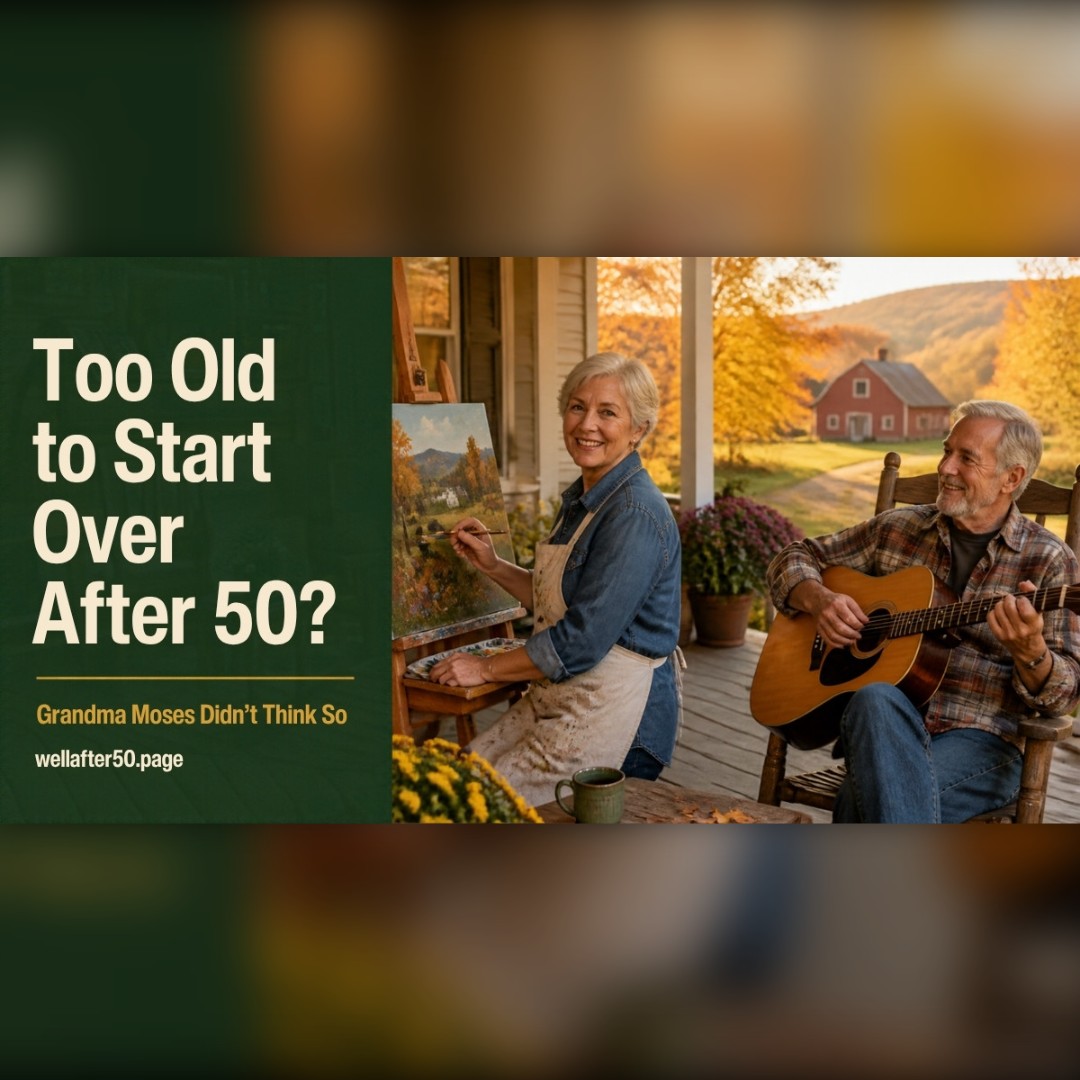
    Too Old to Start Over After 50? Grandma Moses Didn’t Think So

    Ever catch yourself thinking, “I’m too old to start over”? Every so often somebody tells me, “I should’ve done this years ago.”

    Maybe it’s a trip they never took. A guitar sitting in the closet. A garden they keep meaning to plant. A book they’ve been “fixing to write” since the kids were little.

    And then right behind it comes the real question: At my age, what’s the point?

    I reckon the point is that you’re still here. The years you’ve already lived don’t disqualify you from the ones still coming.

    I Started This Site at 64

    I’ll tell you straight: I started Well After 50 at 64. I didn’t know much about websites. I made plenty of mistakes, and some of them I’m still cleaning up. But I’m glad I didn’t wait for the “right time,” because the right time wasn’t coming. It was just going to keep being later.

    I’m not telling you that to brag. I’m telling you so you know the fellow writing this is in the same boat as a lot of y’all.

    Some Folks Who Didn’t Get Going Until Later

    When I start thinking I’m too old for something, I think about these people:

    • Grandma Moses (Anna Mary Robertson Moses) didn’t take up painting seriously until she was in her late 70s, after arthritis made her embroidery too hard. She kept painting into her 100s, and her farm scenes ended up in museums. (Wikipedia)
    • Frank McCourt taught high school in New York for about 30 years. He published his first book, Angela’s Ashes, at 66, and it won the Pulitzer Prize. (NPR)
    • Laura Ingalls Wilder was in her 60s when her first Little House book came out. (United Methodist Communities)

    There’s a whole website full of stories like these called Later Bloomer, and it’s worth a look on a day you’re feeling behind. Larry Potter over at Last Best Bite wrote a good piece on this too, “After All, You’re Never Too Old for a First Time.”

    None of them knew how it would turn out when they started. They just started.

    You’re Not Starting From Scratch

    Starting something after 50 feels different because you know how fast time goes. But you also bring something you didn’t have at 20: experience.

    You know what matters and what doesn’t. You’ve made mistakes and lived through things you weren’t sure you would. That’s not baggage. That’s the stuff you get to carry into whatever comes next.

    Arthur Brooks, a Harvard professor, wrote a whole book about this called From Strength to Strength. His point is that some of our smarts fade as we get older, like quick thinking and raw speed, but another kind keeps growing: the know-how and judgment that come from years of living. That’s the kind that makes you good at teaching, advising and seeing the big picture. In other words, the second half isn’t just leftovers. It’s a different kind of strong.

    Being Bad at It Is Part of the Deal

    This is where a lot of us quit too soon.

    The first painting looks like a kid made it. The first exercise class leaves you sore and a little embarrassed. The first try at anything new feels like everybody else got the instructions but you.

    Well, they probably have been at it longer. You’re comparing your first page to their twentieth chapter. That’s not a fair fight, so don’t pick it.

    Your first job isn’t to be good. Your first job is to show up.

    Try the One-Hour Rule

    You don’t need to plan the rest of your life. That’s too much pressure for anybody.

    Just ask yourself: What would I enjoy trying for one hour this week?

    An hour can be a class at the library, a walk somewhere you’ve never been, a new recipe, a beginner video, or a phone call to somebody who already does the thing you’re curious about.

    If you like it, give it another hour. If you don’t, you’ve got your answer, and that’s not failure either. You’re allowed to say, “Tried it. Not for me. What’s next?”

    Make It Easy on Yourself

    1. Make the first step almost silly-small. Ten pages, ten minutes, one phone call.
    2. Put it on the calendar. If it doesn’t have a day and time, “someday” turns into never.
    3. Find the beginner version. The intro class, the easy trail, the “for dummies” book. No shame in it.
    4. Expect it to feel awkward. Awkward doesn’t mean wrong. It means new.
    5. Give it more than one try. The first time is usually the worst it’ll ever be.

    If you want to dig a little deeper, James Clear’s book Atomic Habits is a good one. His whole idea is that tiny changes, done over and over, add up to big results, and that you’ll stick with a new habit a lot longer if you make it easy to start. He calls it the two-minute rule: shrink the new thing down until it takes two minutes or less.

    You Don’t Have to Impress Anybody

    This may be the best part of getting older. You don’t have to turn your new thing into a business, win a ribbon or post it online. You can paint because you like colors, or walk because you like being outside. You can take a class just to get out of the house and meet somebody new.

    Not everything worth doing has to be an accomplishment.

    And if the people around you don’t understand why you want to do it? They don’t have to. Like the old saying goes, you can’t plow a field by turning it over in your mind.

    Common Questions

    Am I too old to start over at 50 or 60?

    No. People learn new skills, pick up hobbies and start new work well into their 60s, 70s and beyond. You don’t have to become an expert for it to be worth doing.

    Is 60 too old to start a new career?

    Not necessarily. Plenty of people switch to part-time work, consulting, teaching or a small business in their 60s. Start by using skills you already have, and test the idea small before you jump in with both feet.

    What if I don’t know what I want to try?

    Think about what you used to enjoy as a kid, what you catch yourself reading about, or what you’ve always said “I’d like to try that someday” about. Start there.

    What if I start and then quit?

    Then you learned something about yourself. That still counts.

    What if it’s something physical?

    Start at a beginner level, and if you’ve got a health concern, check with your doctor first. For a safe place to start on strength, see How to Build Muscle After 60 Without Getting Hurt.

    Try This This Week

    Grab a piece of paper and write down three things you’re curious about. Not things you should do, but things that make you think, “I’ve always wondered what that’d be like.”

    Circle one. Take the smallest first step this week.

    If you want more ideas, I put together 9 ways to start a new chapter after 50 and 10 hobbies that don’t cost much.

    What Would You Start?

    If you could begin one new thing this year, what would it be? Tell me in the comments. Somebody reading might need the nudge.

    You’re not behind. Starting at 50, 60, 70 or beyond still counts.

    — Tom

    I’ve also mapped out some great tools on my new Tech for Independent Living After 50 page.

  • How to Enjoy Life After 50: 4 Simple Habits That Make the Years Better

    How to Enjoy Life After 50: 4 Simple Habits That Make the Years Better

    Most of us have spent years thinking about how long we’ll live. Then the doctors started talking about how many of those years we’ll stay healthy. Fair enough.

    But here’s a question nobody asks you at your checkup: Are you still enjoying it?

    Turns out there’s a word for that. It’s called joyspan, and I reckon it might be the number that matters most.

    Where the word came from

    Dr. Kerry Burnight came up with it. She’s a gerontologist, which is a doctor who studies aging, and she teaches at the UC Irvine School of Medicine. She spent 16 years working with older folks who’d been neglected and mistreated. After seeing the worst side of growing old, she went looking for the other side: what makes people thrive later in life.

    That search turned into her 2025 book, Joyspan: The Art and Science of Thriving in Life’s Second Half. It became a New York Times bestseller. (If you buy it through my link, I may earn a small commission at no extra cost to you.)

    Joyspan: The Art and Science of Thriving in Life's Second Half book cover by Dr. Kerry Burnight

    Her idea is simple. Joyspan is how much you actually enjoy your life as you get older. Not how many pills you take or how many steps your watch counts. Just whether you still wake up glad to be here.

    Here’s the part I like best. You don’t have to be in perfect shape to have a long joyspan. Bad knees, stiff back and all, you can still have a good one.

    The four things that build it

    Dr. Burnight boils it down to four habits: grow, connect, give, and adapt. Harvard Health wrote about them too. Here’s how I look at each one.

    1. Grow

    Keep learning something. Doesn’t have to be big. A new recipe. A trail you’ve never walked. Finally figuring out what all those buttons on the TV remote do.

    For me, it’s been this website. Some days I’ve wanted to toss the computer out in the yard. But every time I finally figure something out, I feel about ten years younger. That’s what growing does for you.

    2. Connect

    Stay close to people. This one has a lot of science behind it.

    Yvette Francino is a retired coach who writes a blog called Living Life to the Fullest. After she read the book, she wrote about what keeps her own joy going. One of the biggest? She calls her mom every single night.

    Now, you might think that’s her doing her mom a favor. But Yvette says she gets just as much out of those calls as her mom does. A few minutes on the phone, a few laughs, and they both go to bed a little happier.

    That’s what connection looks like. It doesn’t have to be a big family reunion. It just has to happen.

    And the experts back her up. In the 2026 U.S. News Healthy Aging Survey, 59% of the 63 health experts they asked named loneliness and isolation as the most overlooked thing that speeds up aging.

    Easy start: call one person this week you haven’t talked to in a while. Just to see how they’re doing.

    3. Give

    Help somebody. Drive a neighbor to an appointment. Teach a grandkid to fish. Share what you’ve learned the hard way. Helping somebody you know does more for you than you’d think, and we’ve all got something worth passing on.

    4. Adapt

    Things change. Our bodies change, people we love pass on, plans fall through. Dr. Burnight treats those hard times as a normal part of life, not a sign that the good part is over.

    Helen Williams writes about getting older on her Substack, and she shared a story about her grandparents that I can’t stop thinking about.

    Her grandfather walked everywhere. Swam every day. Kept up with his friends. He stayed in the game right up until illness finally made him stop.

    Her grandmother went the other way. One by one, she found reasons to quit the things she loved.

    Same family. Same generation. Two very different later years. And a lot of that difference came down to little choices, made one day at a time. Like the old saying goes, you can’t change the wind, but you can adjust your sails.

    Quick check: What’s your joyspan?

    Grab a pencil or just keep count in your head. Give yourself a score from 1 to 5 on each one. A 1 means “not me at all.” A 5 means “that’s me all day long.”

    1. Grow: I’ve learned or tried something new in the last month.
    2. Connect: I talk with somebody I care about most days.
    3. Give: I’ve helped somebody this week, even in a small way.
    4. Adapt: When things don’t go my way, I find a way to keep going.

    Now add them up:

    • 16 to 20: You’re doing great. Keep it up, and maybe share what’s working with a friend.
    • 10 to 15: Pretty good, with some room to grow. Look at your lowest score and start there.
    • 4 to 9: No shame in that. It just means you’ve got the most to gain. Pick one area and do one small thing this week.

    This is just for fun, not a medical test. It’s a way to see where you stand today.

    A few small ways to start this week

    Jane Woods is a blogger over in England. She’s closing in on 70, taking care of her husband, and still chasing her own goals. She gave Joyspan five stars on her blog Changing People, and she pointed out something I’d never really thought about.

    Joy and happiness aren’t the same thing.

    You can be going through a rough patch, not happy at all, and still catch a moment of joy. A grandbaby’s laugh. A good cup of coffee on a cool morning. Joy lives in the little moments, if you slow down long enough to notice them.

    So here are a few easy ways to catch more of them. None of them cost a dime.

    • Slow down for the good stuff. That first cup of coffee, a sunset, a song you love. Actually notice it.
    • Take a “joy snapshot” every day. Before bed, think of one moment that made you smile.
    • Volunteer. Church, food bank, library, wherever fits you.
    • Tend your friendships. They’re like a garden. They need a little water now and then.
    • Get moving outside. A walk in fresh air does more than you’d think.

    How it fits with everything else

    That same U.S. News survey found the experts put plain old exercise and good food at the top of the list, way ahead of trendy supplements and gadgets. (I looked at one of those trendy supplements in my post on NMN.)

    Joyspan is the other half of that. Exercise and good food help you get more years. Joy is the reason you want them.

    If you want to dig deeper, Dr. Burnight’s book Joyspan is a good place to start. It’s a good one to keep on the nightstand.

    Common Questions

    What is joyspan?
    Joyspan is a word coined by gerontologist Dr. Kerry Burnight. It means how much joy and satisfaction you get out of life as you get older, not just how many years you have.

    How is joyspan different from lifespan and healthspan?
    Lifespan is how long you live. Healthspan is how many of those years you’re healthy. Joyspan is how much you enjoy them.

    What are the four parts of joyspan?
    Grow, connect, give, and adapt. Keep learning, stay close to people, help others, and roll with the changes life brings.

    Can you raise your joyspan after 60?
    Yes. Dr. Burnight treats joyspan as a habit, not luck, and says the best time to start is now. Small steps, like calling a friend or trying something new, count.

    Do you have to be healthy to have a long joyspan?
    No. Plenty of folks with aches, health problems or hard seasons still find real joy. It’s more about how you live your days than how perfect your body is.

    One question to sit with

    What did you enjoy this week?

    If the answer comes quick, good for you. If it comes slow, pick one of the four, grow, connect, give, or adapt, and do one small thing with it before Sunday.

    Y’all let me know in the comments which one you’re working on. I’d like to hear it.

    — Tom

    About the Author

    Tom Green writes Well After 50. He’s just a regular, laid-back 64-year-old who keeps things simple. He shares what he learns about skincare, fitness and getting older, and what’s working for him. He’s also the author of A Practical Guide to Getting Older Without Giving Up on Yourself.

    Tom isn’t a doctor. He reads up on the research and passes along what’s useful, plain and simple.

    I’ve also mapped out some great tools on my new Tech for Independent Living After 50 page.

  • Been Hearing About NMN Supplements? Would It Work for You After 50?

    Been Hearing About NMN Supplements? Would It Work for You After 50?

    If you’ve been hearing about NMN lately, you’re not the only one. It’s in podcasts, it’s in ads, and it’s probably coming from a buddy who swears he’s got more pep since he started taking it. Some folks call it an anti-aging pill. Others say it’s just expensive hype.

    A lot of the buzz started with David Sinclair, a genetics professor at Harvard Medical School. His 2019 book Lifespan: Why We Age and Why We Don’t Have To got a lot of people curious, and he’s said he takes NMN himself. Worth knowing, though: he’s also helped start companies that work on NMN and other supplements, so he’s not exactly a neutral voice. (If you buy the book through my link, I may earn a small commission at no extra cost to you.)

    Lifespan: Why We Age and Why We Don't Have To book cover by David A. Sinclair

    I just started taking NMN myself, so I wanted straight answers, not a sales pitch. I dug into what the human studies say, what it costs, and how to keep from overpaying. Here’s what I found, plain and simple.

    The short answer

    • NMN is not a miracle. There is no proof it slows aging in people.
    • It does raise NAD levels in the blood. That part is well shown. Whether that makes you healthier is still being studied.
    • A few small studies found modest benefits, like walking a little farther or a little faster. Most were short and paid for by companies that sell NMN.
    • It looks safe in the short term. Nobody knows yet about taking it for years.
    • You don’t need to overpay. Good third-party tested brands cost about $10 to $25 a month. Fancy versions can run $65 to $120.

    What is NMN, anyway?

    NMN stands for nicotinamide mononucleotide. That is a mouthful, so here is the simple version.

    Your body uses something called NAD to turn food into energy and to repair itself. NAD levels drop as we get older. NMN is a building block your body uses to make NAD. The idea behind the supplement is simple: give your body more of the building block, and maybe you’ll have more NAD, like you did when you were younger.

    It’s a nice idea. The real question is whether it actually makes a difference you can feel.

    What the human studies actually found

    A lot of the excitement around NMN came from mouse studies. Mice are not people, so I focused on studies done in humans. There are only a handful, and they are small.

    Older men walked a bit faster

    In a 12-week study in Japan, men 65 and older took 250 mg of NMN a day or a placebo. The NMN group walked a little faster and had slightly better grip strength in one hand. But they did not gain muscle, and only 20 men were counted in the final results because of a supply mix-up. The company that made the NMN paid for the study. (Study summary)

    Middle-aged adults walked farther

    In a 60-day study of 80 healthy adults ages 40 to 65, people took 300, 600, or 900 mg a day. NAD levels in the blood went up, and the groups taking 600 and 900 mg walked farther in a six-minute walking test. The researchers thought 600 mg was the sweet spot, because 900 mg was not clearly better. This study was also paid for by companies that make NMN.

    Writer Arkadi Mazin at Lifespan.io made a fair point about this one: people weren’t told to change their activity, so some of the walking gains could simply come from people moving around more during the study. He concluded that the results are promising but not proof.

    Women’s muscles handled blood sugar a little better

    In a 10-week study at Washington University, 25 women past menopause with prediabetes took NMN or a placebo. Their muscles responded better to insulin, which helps manage blood sugar. But their blood sugar levels did not change, and their liver did not respond any differently. (NIH summary)

    My take on the research

    These results are interesting, but they’re small. We’re talking about dozens of people for a few weeks or months, not thousands of people for years. Nobody has shown that NMN helps people live longer or prevents disease. When companies that sell NMN pay for the studies, I want to see the results repeated by independent researchers before I get too excited.

    I’m not the only one who feels that way. Longevity doctor Peter Attia, author of the bestseller Outlive, talked about NMN and NR on the Huberman Lab podcast. His view was that there’s no clear evidence yet that raising NAD with supplements helps people live longer or healthier.

    NMN vs. NR: what’s the difference?

    You may also see NR, or nicotinamide riboside, sold as Tru Niagen and other brands. It’s a cousin of NMN. Both are used by the body to make NAD, and both raise NAD levels in the blood.

    Which is better? Honestly, nobody knows yet. You’ll find plenty of websites claiming one beats the other, but most of them are selling one of the two. For an everyday person, the difference probably matters less than whether you need either one at all.

    Is NMN safe?

    In the studies so far, NMN was well tolerated for a few weeks to a few months, including at doses up to 900 mg a day. Side effects were uncommon and mild. That is reassuring, but it does not tell us what happens if you take it for years.

    Talk to your doctor before trying NMN if you:

    • Have had cancer or are being treated for it. Researchers are still studying how raising NAD affects cancer cells.
    • Take several prescription medications.
    • Have diabetes or take blood sugar medicine.
    • Are dealing with kidney or liver problems.

    Is it even legal to sell?

    This part got confusing. In 2022 the FDA said NMN could not be sold as a supplement, and many listings disappeared from big online stores. In fall 2025 the FDA reversed that decision, and NMN is again allowed as a dietary supplement. (National Law Review)

    That does not mean the FDA checks that it works or that what’s in the bottle matches the label. Supplements are not tested the way medicines are.

    What it costs (and how not to overpay)

    NMN prices are all over the place. A 2026 price guide found premium brands running about $65 to $90 a month at 500 mg a day, and $95 to $120 for liposomal or under-the-tongue versions. You don’t have to pay that. Good, third-party tested capsules from mainstream brands cost a fraction of it.

    Here’s the catch with going too cheap, though: in 2022, testing of 21 popular NMN brands on Amazon reported by ConsumerLab found that 14 of them had less than 1% of the NMN on the label. A bottle with no NMN in it is no bargain at any price. That’s why I stick to known brands that say they’re third-party tested.

    3 budget-friendly, third-party tested NMN brands

    All three of these cost about $20 to $25 a bottle and are labeled third-party tested. Prices are approximate as of October 2026 and change often, so compare before you buy.

    1. Force Factor NMN (the one I started with)

    This is what I started with. I pick it up at Walmart for about $24 for 60 capsules, 250 mg each. Force Factor says its products are third-party tested, and it’s easy to find in stores, so you don’t have to gamble on an unknown online seller.

    2. BulkSupplements NMN capsules

    About $20 for 60 capsules of 500 mg, which works out to roughly $10 a month at one capsule a day. The company says it uses an accredited outside lab, and when Forbes Health writer Heidi Borst had it lab-tested, it came back clean for heavy metals and germs.

    3. Nutricost NMN

    About $22 for 60 capsules of 250 mg. At one capsule a day, that’s roughly $11 a month, and 250 mg is the same dose used in the Japan study. It’s labeled third-party tested and also passed the Forbes Health lab tests for heavy metals and germs.

    Simple ways to save money on NMN

    • Compare price per 250 mg, not price per bottle. A bottle that looks cheap can need two or three capsules a day.
    • Start low. Studies used 250 to 900 mg a day. Starting at 250 mg costs less, and you can talk to your doctor about going higher.
    • Skip the fancy versions. Liposomal, under-the-tongue and gummy NMN cost more, and there isn’t good proof they work better.
    • Avoid “blends.” “NAD booster blend” or “proprietary formula” can hide how little NMN you’re really getting.
    • Buy from known brands and stores. Skip no-name powders and sellers you can’t look up.

    Should you take NMN with resveratrol or TMG?

    Spend about five minutes reading up on NMN and somebody’s going to tell you to take it with resveratrol and TMG. So here’s what those two are, and what we really know.

    Resveratrol comes from red grape skins. Most of the talk about pairing it with NMN goes back to David Sinclair. He’s said he takes the two together. His thinking is NMN fills up your NAD, and resveratrol helps your body put it to work. Sounds good. But so far it’s mostly been tried on lab animals, not people. And not everybody’s sold on it. NAD researcher Charles Brenner has been one of the biggest doubters of the resveratrol research.

    TMG (trimethylglycine, also called betaine) is in beets, spinach and whole grains. When your body breaks down NMN, it uses up some of what TMG puts back. So folks take it to keep things even. Makes sense to me, but nobody’s tested it yet. One heads-up: too much TMG can bump your LDL cholesterol up a little.

    What I’m doing: I’m starting on Toniiq Elixr. It’s got NMN, resveratrol and TMG all in one. It runs about $35 a month on iHerb, which costs more than the cheaper brands up above. I didn’t pick it because it’s proven better. I just liked having all three in one bottle. I’ll let you know how it goes.

    If you’re shopping for a combo, look at how much NMN you’re getting. Some of them look like a good deal and only give you a little bit. One popular combo only has 150 mg of NMN per serving. Elixr has 500 mg.

    How to read an NMN label without getting fooled

    • How much NMN is in one serving. Not “per bottle,” and check whether a serving is one capsule or two.
    • Proof of testing. The best brands post a certificate of analysis, often called a COA, from an independent lab. If a brand only says “third-party tested,” you can email them and ask for the report.
    • Fancy words that don’t mean much. “Pharmaceutical grade,” “ultra-pure,” and “advanced formula” sound impressive, but they aren’t official standards.
    • Who made it and where. A real company name, a real address, and a way to contact them. If you can’t find those, keep shopping.

    Red flags in NMN ads

    • “Reverses aging” or “turns back the clock.” No human study has shown that. Anyone promising it is selling, not informing.
    • “Clinically proven” with no link to the study. If they had a great study, they’d show it to you.
    • A famous doctor or TV personality in the ad. Fake celebrity endorsements are common with supplements. Check the person’s own website before you believe it.
    • “Free trial, just pay shipping.” These often sign you up for monthly charges that are hard to cancel.
    • Countdown timers and “only 3 left.” A real product doesn’t need to rush you.

    A simple 90-day test if you decide to try it

    If you and your doctor decide NMN is worth a try, don’t just take it and hope. Make it a little experiment so you actually know if it’s doing anything for you.

    • Before you start, write down a few things. How’s your energy on a scale of 1 to 10? How long can you walk before you get tired? How are you sleeping? How do your joints feel in the morning?
    • Change only one thing. If you start NMN, a new workout, and a new diet all in the same week, you’ll never know which one helped.
    • Check in every month. Write the same notes again on the same day each month.
    • Be honest at the end. After about three months, compare your notes. If nothing really changed, you can stop and spend that money somewhere else, with no regrets.

    This protects you from the biggest supplement trap of all: spending money every month on something just because you’re afraid to stop.

    What to say to your doctor

    Some people feel a little silly bringing up supplements with their doctor. Don’t. Doctors would much rather know what you’re taking. You can keep it simple:

    “I’ve been hearing about NMN and I’m thinking about trying it. Is there any reason it wouldn’t be safe for me with my health history and the medicines I take?”

    Bring the bottle or a photo of the label so they can see exactly what’s in it. And if your doctor hasn’t heard much about NMN, that’s okay. It’s new, and the research is still thin.

    What probably helps more (and costs less)

    Before you spend money on NMN, make sure the basics are covered. These have much stronger evidence for energy and healthy aging after 50:

    Here’s something the ads don’t tell you: your body already makes NAD on its own, every day, from the food you eat. Vitamin B3, also called niacin, is one of its main building blocks, and you get it from everyday foods like chicken, turkey, tuna, salmon, peanuts, mushrooms, and whole grains. Research also suggests regular exercise helps your muscles keep their NAD levels up.

    One caution: don’t start taking high-dose niacin pills on your own to boost NAD. Large doses can cause flushing and, over time, liver problems. Food sources are the safe way to go.

    Common Questions

    Does NMN really slow aging?
    There’s no proof in people that NMN slows aging or helps you live longer. Small studies found modest benefits, like walking a little farther or faster.

    How long does NMN take to work?
    In studies, people took it for about 2 to 3 months. If you notice nothing after that, it may not be worth the money for you.

    How much NMN do people take?
    Studies used 250 to 900 mg a day. One study found 600 mg worked about as well as 900 mg. Ask your doctor what makes sense for you.

    What’s a good budget NMN?
    Force Factor, BulkSupplements and Nutricost are all labeled third-party tested and cost about $20 to $25 a bottle. Compare the price per 250 mg before you buy.

    Is NMN better than NR?
    Both raise NAD levels. There is no clear proof that one is better than the other for everyday people.

    Is NMN safe for people over 50?
    Short-term studies found it well tolerated, including in men over 65. Long-term safety isn’t known. Check with your doctor first, especially if you’ve had cancer or take medications.

    The bottom line

    NMN isn’t a scam, but it isn’t a fountain of youth either. It does raise NAD in your blood, and a few small studies found some modest gains. That’s about all we know so far.

    If you’re curious and your doctor’s fine with it, trying a tested, budget brand for a few months won’t break the bank. But if you’re deciding where to put your money and energy after 50, I reckon strength training, walking, protein and good sleep come first. Those have the best proof of anything.

    Your turn: Have you tried NMN, or are you thinking about it? Tell me in the comments. I’d like to hear how it’s going for y’all.

    I’m not a doctor or medical professional. This article is general information, not medical advice. Talk with your doctor before starting any supplement, especially if you have health conditions or take medications. Prices are approximate and change often.

    About the Author

    Tom Green writes Well After 50. He’s just a regular, laid-back 64-year-old who keeps things simple. He shares what he learns about skincare, fitness and getting older, and what’s working for him. He’s also the author of A Practical Guide to Getting Older Without Giving Up on Yourself.

    Tom isn’t a doctor. He reads up on the research and passes along what’s useful, plain and simple.

    I’ve also mapped out some great tools on my new Tech for Independent Living After 50 page.
  • Books of the Month: October – 3 Bestsellers for Staying Strong After 50

    Books of the Month: October – 3 Bestsellers for Staying Strong After 50

    Every month I pick three books worth your time. This month all three are about the same thing we talk about here: staying strong, sharp and independent as we get older. They’re all on the bestseller lists right now.

    Book cover of Protocols: An Operating Manual for the Human Body by Andrew Huberman

    1. Protocols: An Operating Manual for the Human Body by Andrew Huberman, PhD

    If you’ve listened to podcasts at all in the last few years, you’ve probably heard of Dr. Huberman. He’s a Stanford neuroscientist, and his health podcast is one of the most popular in the world. Protocols is his first book, and it’s built around one simple idea: small daily habits, done consistently, change how you feel.

    He covers the basics that matter most at our age, including sleep, energy, mood and stress, and he includes protocols for getting stronger and leaner at any age. For each one he explains the science in plain language, then tells you exactly what to do.

    It’s a big book at over 500 pages, but you don’t have to read it front to back. Pick the chapter you need most, probably sleep, and start there.

    Great for: anyone who wants one solid reference book on the shelf for all-around health.

    Find Protocols here →

    Book cover of Heal Your Cells by Dr. Josh Axe and Dr. Will Cole

    2. Heal Your Cells by Dr. Josh Axe and Dr. Will Cole

    Ever feel like you’re doing everything right, eating well, taking your vitamins, getting your walks in, and you still feel worn out? That’s the question this book tries to answer. The authors argue that tiredness, brain fog, gut trouble and hormone changes are all early signs that our cells aren’t working the way they should.

    The book walks you through foods that support your cells, like bone broth, pomegranate and fermented foods, along with ideas about meal timing. There’s also a quiz that tries to show whether one part of your body is aging faster than the rest.

    One honest note from me: Dr. Axe comes from the natural and functional medicine world, and some of what he suggests, like supplements and fasting, is worth running by your own doctor first, especially if you take medications. The food advice, though, is something most of us can use right away.

    Great for: readers who feel tired all the time and want a food-first plan to try.

    Find Heal Your Cells here →

    Book cover of Unbreakable: A Woman's Guide to Aging with Power by Dr. Vonda Wright

    3. Unbreakable: A Woman’s Guide to Aging with Power by Dr. Vonda Wright

    Ladies, this one is for you. Dr. Wright is an orthopedic surgeon who has spent over 20 years helping people stay active as they age. Her message is simple: getting older doesn’t have to mean getting weaker.

    She explains how menopause speeds up the loss of muscle and bone, which is what leads to falls, broken bones and losing your independence later on. Then she gives you a plan to fight back, covering nutrition, exercise and lifestyle, with a six-week exercise program, the blood and mobility tests worth asking your doctor about, and twenty easy anti-inflammatory recipes.

    If you’ve read my posts on building muscle after 60, you know how much I believe in strength training. This book makes that case better than almost anything I’ve read.

    Great for: any woman over 50, and honestly any man who wants to understand what his wife or sister is going through.

    Find Unbreakable here →

    Disclosure: The book links in this post are Amazon affiliate links. As an Amazon Associate, Well After 50 earns from qualifying purchases, at no extra cost to you.

    What are you reading this month?

    Tell me in the comments or in our Facebook group. I’m always looking for the next good one.

    About the Author

    Tom Green writes Well After 50. He’s just a regular, laid-back 64-year-old who keeps things simple. He shares what he learns about skincare, fitness and getting older, and what’s working for him. He’s also the author of A Practical Guide to Getting Older Without Giving Up on Yourself.

    Tom isn’t a doctor. He reads up on the research and passes along what’s useful, plain and simple.

    I’ve also mapped out some great tools on my new Tech for Independent Living After 50 page.

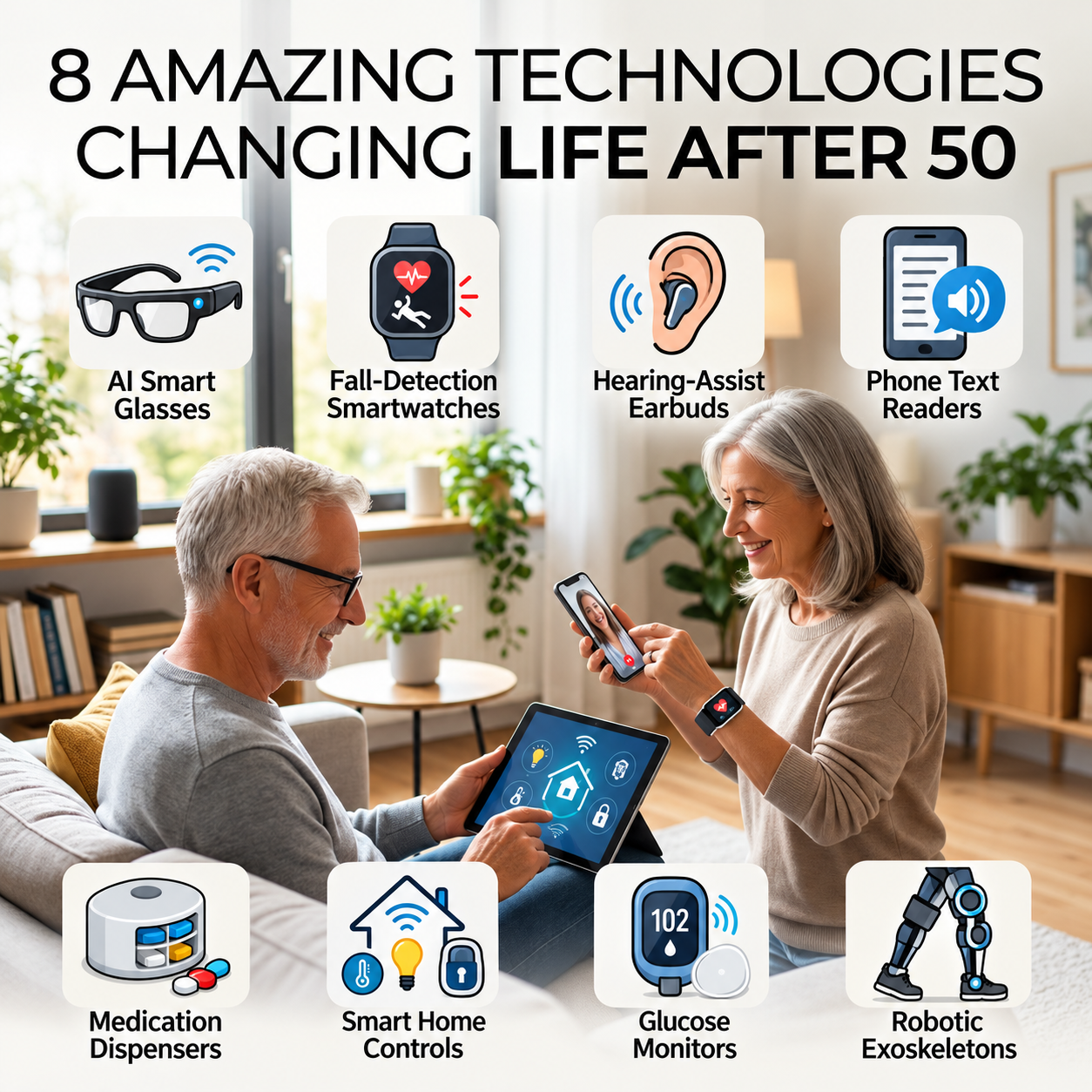
  • 8 Amazing Technologies Changing Life After 50

    8 Amazing Technologies Changing Life After 50

    Imagine glasses that describe what is around you, earbuds that make conversations easier to hear, or a watch that can call for help after a serious fall. Technology that once sounded like science fiction is becoming part of everyday life.

    I’m 64, and what interests me isn’t owning the newest gadget. It’s whether something can help us hold on to independence. I don’t want to waste money on complicated products that promise miracles and end up in a drawer, either.

    So I looked at eight technologies that could make life after 50 easier. Some may already be on your phone. Others are expensive, specialized, or still developing. Here’s what they do, what the evidence actually supports, and what I’d ask before spending a dime.

    1. AI Smart Glasses That Describe the World

    Certain camera-equipped smart glasses can interpret visual information and describe signs or objects aloud. Compatible Meta AI glasses can also connect with Be My Eyes, which helps people who are blind or have low vision access sighted assistance. Be My Eyes explains its smart-glasses accessibility features.

    Technology journalist Victoria Song of The Verge explored how people with limited vision use the glasses in real life. That reporting matters more to me than a manufacturer’s demonstration: the value is what someone can actually accomplish.

    Before you buy: Not all smart glasses have cameras or support the same features. AI can misidentify things, and glasses are not a replacement for mobility aids. Find out which phone, software and subscription requirements apply, and be mindful of other people’s privacy.

    Want to look around? BLACKSHEEP has a whole lineup of AI smart glasses at factory-direct prices. Check the features and what phone they work with before you buy. (Sponsored link: I may earn a small commission at no extra cost to you.)

    2. Earbuds That Can Help You Hear

    Some compatible wireless earbuds now offer hearing assistance. In 2024, the FDA authorized Apple’s Hearing Aid Feature for certain AirPods Pro models, intended for adults who perceive mild to moderate hearing loss. A clinical evaluation involving 118 participants supported its performance compared with professional fitting of the same device. Read the FDA’s authorization.

    It’s worth considering if you struggle to follow conversations in noisy restaurants or often ask someone to repeat themselves. But earbuds aren’t appropriate for every type of hearing loss, require charging and compatible equipment, and won’t suit everyone.

    What I’d do first: Get your hearing assessed, especially if the change is recent or worsening. Sudden hearing loss needs prompt medical evaluation. Check whether devices you already own have supported hearing features before buying something else.

    3. Fall-Detection Watches That Can Call for Help

    A compatible smartwatch may recognize a hard fall, ask if you need help and, under certain conditions, contact emergency services. Apple explains the limitations and setup of Fall Detection. That could be reassuring for someone who lives alone or spends time outdoors.

    I also pay attention to independent aging-technology analysts such as Laurie Orlov of Aging and Health Technology Watch, who examines the practical challenges of technology for older adults. It’s important to distinguish detecting a fall from preventing one.

    The catch: No watch detects every fall. Emergency calling can depend on settings, connectivity and battery life. Test the emergency-contact setup, consider whether a dedicated alert service is more suitable, and don’t let a gadget replace balance work, safe footwear or good home lighting.

    4. Your Phone Can Read Tiny Print Aloud

    One of my favorite ideas costs nothing extra if your phone already supports it. Apple’s Magnifier can enlarge nearby text, and compatible iPhones offer text-reading functions, including Point & Speak for certain physical controls. See Apple’s instructions. Android phones also have accessibility and text-recognition features, though the specifics differ.

    Think restaurant menus, hard-to-read packaging and controls on household appliances. Start with a familiar label and practice in good light. Camera-based text recognition isn’t always accurate, so don’t rely on it alone for medication doses or safety-critical instructions.

    5. Medication Dispensers That Do More Than Beep

    Automatic pill dispensers can organize doses, issue reminders and, depending on the model, notify caregivers. For someone managing several medications, that might reduce confusion. But an alert doesn’t prove someone actually swallowed a pill.

    Richard Caro and the Tech-enhanced Life team tested automatic pill dispensers in practical use. I especially like their approach of matching a device to the person’s needs instead of crowning one gadget the universal winner.

    Questions worth asking: Who refills it? Can it handle your medications and schedule? What happens if electricity or Wi-Fi fails? Does it need a subscription? A traditional pillbox and phone reminder may be plenty for some people; a pharmacist can help decide whether a more complicated system makes sense.

    6. Smart Homes That Make Everyday Tasks Easier

    Motion-activated hallway lights, voice-controlled switches and accessible thermostats can make life more convenient, particularly if mobility, vision or dexterity has changed. For some people, reducing unnecessary movement across a dark room is worth far more than an elaborate home-security package.

    Independent writer Mike Smith discusses accessible smart-home ideas at Clarejon, including lighting, sensors and the importance of keeping manual controls. I agree with that last point. If the internet is down, you should still be able to turn on a light or unlock your door.

    Start with one real problem, not a house full of gadgets. For monitoring systems, ask who can view your data, whether cameras are involved, what gets stored and how false alarms are handled. Convenience shouldn’t mean giving up privacy.

    7. Glucose Sensors That Show Patterns Between Appointments

    Continuous glucose monitors use a small sensor under the skin to estimate glucose in interstitial fluid over time. In 2024, the FDA cleared Dexcom’s Stelo as an over-the-counter option for certain adults who do not use insulin. Read the FDA clearance announcement.

    Seeing trends after meals or physical activity may be useful for some people managing diabetes. But that doesn’t mean everyone without diabetes needs to monitor every fluctuation. More numbers don’t necessarily translate to better decisions.

    Be skeptical of miracle claims. The FDA has warned against smartwatches and rings claiming to measure glucose without piercing the skin. Ask a clinician whether glucose monitoring is useful in your circumstances.

    8. Robotic Exoskeletons That Assist Walking

    Here’s where the future really starts to show. Robotic exoskeletons are wearable mechanical systems that can assist certain movements. Some are designed for rehabilitation or carefully selected people with serious mobility impairments, including some spinal cord injuries.

    This technology doesn’t simply restore ordinary walking. Eligibility depends on medical assessment, physical capability, device design and training. Many systems are expensive and require assistance. They are not an everyday solution for sore knees or weak legs.

    Still, I find it remarkable that engineers are working on ways to expand what some people can do physically. For most of us, ordinary strength training, fall-prevention work and physical therapy are much more accessible ways to stay mobile right now.

    Which Technology Is Actually Worth Your Money?

    Here’s how I’d narrow it down: if tiny print is the problem, explore phone accessibility first. If hearing is changing, start with a hearing evaluation. If you’re concerned about getting help after a fall, compare watch-based and dedicated alert options. If medications are complicated, ask a pharmacist about organizing them safely. If moving around the house is hard, begin with lighting and simple accessible controls.

    Then ask four questions. What specific problem does this solve? Can I operate it comfortably? What will it cost after subscriptions and accessories? And what happens if it fails? A good return policy matters, too.

    I also appreciate technology reporting that isn’t afraid to point out limitations. Victoria Song’s independent wearable-tech coverage, Laurie Orlov’s aging-tech analysis, Richard Caro’s hands-on dispenser comparisons and Mike Smith’s practical accessibility examples are worthwhile places to learn more.

    The Part That Excites Me Most

    It isn’t AI answering questions. It’s someone with low vision gaining access to information, someone hearing a conversation more clearly, or a person managing a complicated routine with less frustration.

    I don’t think getting older should mean automatically giving up the things we enjoy. Sometimes the answer is medical care or better habits. Sometimes it’s an adjustment around the house. And sometimes it’s a clever piece of technology that really does what it promises.

    Technology can’t stop aging. But the right technology may help us live more comfortably, confidently and independently. That’s progress worth paying attention to.

    Your Turn

    Have you tried technology that genuinely made life easier after 50? Maybe it’s a useful phone feature, hearing device, smartwatch or something I’ve missed. Tell me in the comments whether it was worth the money. Your experience could save another reader an expensive mistake.

    About the Author

    Tom Green writes Well After 50. He’s just a regular, laid-back 64-year-old who keeps things simple. He shares what he learns about skincare, fitness and getting older, and what’s working for him. He’s also the author of A Practical Guide to Getting Older Without Giving Up on Yourself. Tom isn’t a doctor. He reads up on the research and passes along what’s useful, plain and simple.

    Health note: I’m not a doctor. I’m a man in my 60s sharing personal experience and research. This article is general information, not medical advice. Health and safety technology should be discussed with appropriate healthcare professionals where necessary and should not replace emergency services or prescribed treatment.

    Editorial note: This article contains one sponsored link (BLACKSHEEP). I may earn a small commission if you buy through it, at no extra cost to you. Product availability, compatibility, features and pricing may change.

    I’ve also mapped out some great tools on my new Tech for Independent Living After 50 page.

  • Ask Thomas: Advice for Life After 50 (Post #1)

    Ask Thomas: Advice for Life After 50 (Post #1)

    Welcome to something new on Well After 50. Once a month, I’m going to answer your questions — the real ones, about getting older, staying healthy, feeling good in your skin, and figuring out what’s next.

    No fluff. No lectures. Just honest answers from a guy who’s learned a few things along the way.

    Here are four questions that speak to things many of us face in life after 50.

    1. “I feel invisible since I turned 60. Like the world stopped seeing me. Is that normal?”

    You’re not imagining that feeling, and you’re not the only one who has it. Our culture can put too much attention on youth, and that can leave people feeling overlooked as they get older.

    But being overlooked doesn’t mean you’ve lost your value. You still have experience, humor, opinions, and a whole lot of life left to live. Don’t wait for the world to give you permission to take up space. Reach out to people who appreciate you, try something that interests you, and keep showing up. You deserve to be seen at every age.

    2. “I want to get in shape, but I haven’t exercised in 20 years. Where do I even start?”

    Start smaller than you think you need to. You don’t have to make up for 20 years in 20 days.

    Try a comfortable 10-minute walk, then build gradually as it gets easier. Add simple strength exercises when you’re ready, and give yourself time to recover. Consistency matters more than going hard at the beginning. If you have health concerns, balance problems, chest discomfort, or other symptoms—or you’re unsure what’s safe for you—check with a healthcare professional before starting.

    The goal isn’t to become someone else overnight. It’s to feel a little stronger and more capable, one step at a time.

    3. “My kids are grown, my career is winding down, and I don’t know who I am anymore. What now?”

    When the roles that shaped your days start to change, it can leave a real hole. That doesn’t mean your best years are behind you. It means you may be entering a chapter that hasn’t been written yet.

    Don’t put pressure on yourself to discover one big new purpose. Start by asking smaller questions: What have I missed doing? What am I curious about? Who do I enjoy being around? Try one new activity, reconnect with someone, volunteer, learn something, or make room for a goal that belongs just to you.

    You don’t have to figure out the rest of your life today. Just take the next step that feels meaningful.

    4. “Is it too late for me to change my health habits? I’m 65 and I’ve never taken care of myself.”

    No. It’s not too late to start making choices that support your health. You can’t change the past, but you can make your next choice a better one.

    Pick one manageable habit first: take a short walk, add a serving of fruit or vegetables, work toward a regular sleep schedule, or book a checkup you’ve been putting off. Don’t try to change everything at once, and don’t beat yourself up if you have a rough day. Small steps you can keep doing are more useful than a perfect plan you abandon after a week.

    At 65, you still deserve care, attention, and the chance to feel better. Start where you are.


    Have a Question for Thomas?

    Getting older brings plenty of questions. Maybe you’re wondering how to stay fit, take better care of your skin, build confidence, or figure out what comes next.

    Ask me. Leave your question in the comments below, or visit the Well After 50 Facebook group. I’ll choose questions to answer in a future edition of Ask Thomas: Advice for Life After 50.

    You don’t have to include your full name or share anything you’re uncomfortable making public. Please leave out private medical or identifying details.

    If one of these answers spoke to you, share the article with someone who might need a little encouragement.

    You don’t have to have everything figured out after 50. None of us does. Sometimes it helps just to talk honestly about what’s on our minds.

    — Thomas Green

    Health Note

    This column offers general information and personal encouragement, not individualized medical advice. Talk with a qualified healthcare professional about health concerns or changes to your exercise routine.

    About Thomas Green

    Tom Green writes Well After 50. He’s just a regular, laid-back 64-year-old who keeps things simple. He shares what he learns about skincare, fitness and getting older, and what’s working for him. He’s also the author of A Practical Guide to Getting Older Without Giving Up on Yourself. Tom isn’t a doctor. He reads up on the research and passes along what’s useful, plain and simple.

    I’ve also mapped out some great tools on my new Tech for Independent Living After 50 page.